
Home > Case-study > Pregnancy & Baby Photo Editor App
Baby & Pregnancy Photo Editor App Development
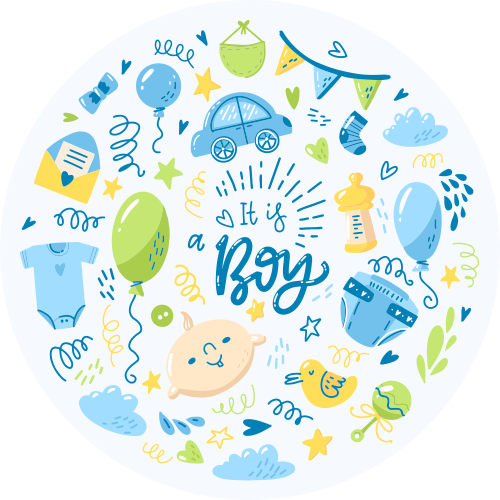
MyLovePics is a baby and pregnancy photo editor app designed and developed by Space-O Canada that helps expecting and new parents turn everyday photos into a beautiful, themed record of their journey. Parents can edit baby and pregnancy pictures with cute themes, backgrounds, doodles, artwork, text, and filters, then assemble them into a living digital scrapbook of milestones.
Built for iOS and Android, MyLovePics works as a complete baby photo editor app, pregnancy photo editor app, baby picture editor, newborn photo editor, baby milestone app, and digital baby scrapbook app, combining creative photo tools with a parenting community, milestone contests, cloud backup, and social sharing in one experience.

About Our Client
Parents had no purpose-built way to turn a camera roll of bump and newborn photos into something worth keeping. Our client wanted to move past generic photo editors and build a parenting-first app where editing a baby picture, adding milestone frames and birth announcements, and sharing it with other parents all happen in one place.
Most were juggling separate tools for shooting, editing, and sharing, with nothing built for baby and pregnancy milestones. They partnered with Space-O Canada to design and develop MyLovePics, a baby photo editor app and milestone scrapbook built for busy parents.
How We Built the Baby
Photo Editor App
Founders often ask what a baby and pregnancy photo editor app really needs: a fast editor, themed stickers, a milestone scrapbook, and easy sharing. For this baby photo editing app development project, our app development team handled design, native iOS and Android builds, and store launch, building the product around six core modules, each with a clear requirement and the solution we shipped.
Baby & Pregnancy Photo Editor
1
Requirement
A fast, parent-friendly editor where users pull a photo from the gallery or camera and start decorating right away.
Solution
We built a baby photo editing engine with inside and outside crop, a library of backgrounds, themes, and filters, and one-tap adjustments, tuned for the photos parents actually take.
Themed Doodles, Stickers & Artwork
2
Requirement
Baby- and pregnancy-themed creative assets parents could layer onto photos: milestones, firsts, quotes, and announcements.
Solution
We built a layered system for customizable text, doodles, and themed artwork, with quote templates around baby milestones and measurements, organized into categories like dates, firsts, and holidays.
Digital Baby Scrapbook
3
Requirement
Parents needed an ongoing, organized story of pregnancy and baby milestones, not just single edits.
Solution
We built a scrapbook module that turns edited photos into a chronological milestone album, where parents tag photos with milestones, measurements, and dates and watch it grow into a keepsake.
Parenting Community & Blogs
4
Requirement
MyLovePics needed to be more than a tool: a place where parents connect, swap tips, and find inspiration.
Solution
We built a community module where parents write and read parenting blogs, share tips, and get updates on baby products and news, turning a photo editor into a recurring destination.
Parenting Contests
5
Requirement
Fun, admin-run contests around the best baby milestone photos, to drive engagement.
Solution
We built a contest system where admins run themed competitions and parents submit milestone images, with tracking for ongoing, completed, and upcoming contests.
In-App Purchases, Cloud Backup & Sharing
6
Requirement
A sustainable monetization model plus reliable storage and easy sharing, so memories stay safe.
Solution
We implemented in-app purchases for premium themes, backgrounds, and artwork, individually or as a Go Pro bundle. Edited photos and albums back up to the cloud, sync across Apple devices, and can be saved, shared to social platforms, or ordered as physical prints.
Key Features of MyLovePics
Baby & Pregnancy Photo Editing
Capture or import a photo and edit it with crop, backgrounds, baby photo frames, themes, and photo filters built for baby and pregnancy moments. A built-in baby photo collage maker combines several shots into one keepsake.
Themed Doodles & Stickers
Add baby-themed doodles & artwork plus stickers, customizable text, and milestone quotes, turning MyLovePics into a baby photo app with stickers for every occasion.
Milestone Scrapbook
Organize edited photos into a chronological digital scrapbook by milestones, firsts, dates, and measurements. It doubles as a monthly baby photo app and pregnancy milestone tracker, so parents can follow pregnancy week by week and month by month.
Parenting Community & Contests
Built in as a parenting community app, it lets parents read and write blogs, share tips, and get product news and inspiration, while admin-run photo contests let them submit milestone photos and track ongoing, upcoming, and completed competitions.
In-App Purchases & Go Pro
Unlock premium themes, backgrounds, and artwork individually or via a Go Pro package, with restore support.
Cloud Backup, Sharing & Prints
Back up photos and albums to the cloud and sync across Apple devices so memories are never lost. Save edits to the gallery, share to social platforms, assign photos to contacts, or order photo prints for framing.
Who Uses This Baby
Photo Editor App
MyLovePics is built for parents at every stage, and the concept adapts to any photo-editing or milestone-tracking product, including:
Expecting Parents
New Moms & Dads
Grandparents & Family
Parenting Bloggers
Photography Hobbyists
Gifting Users
Social Media Sharers
Scrapbook Enthusiasts
Technology Stack
iOS App
Android App
Backend
Database
Cloud & Storage
Image, Payments & Analytics
Our Role in the Project
Space-O Canada served as the end-to-end design and development partner for MyLovePics, from concept and UX through native iOS and Android delivery and App Store / Play Store launch.
FAQs About Baby & Pregnancy Photo Editor App Development
Most teams ask the same questions before they commit to a custom build. These are the ones we hear most often when planning baby & pregnancy photo editor app development.
What features are required to build a baby and pregnancy photo editor app?
Core features include a photo capture and import tool, week-by-week pregnancy stickers, milestone frames, fonts and typography controls, filters, and collage layouts. You also need a baby photo timeline, time-lapse video creation from weekly belly pictures, and easy social sharing. A user account with cloud backup, in-app purchases for premium sticker packs, and AI tools for background removal round out a modern build.
How much does it cost to develop a custom baby and pregnancy photo editor app from scratch?
A focused MVP with photo editing, stickers, and milestone frames typically runs $25,000 to $55,000. A full app with AI background removal, time-lapse video export, cloud sync, and subscriptions usually falls between $60,000 and $120,000. Cost depends on platform count, the depth of AI features, and the size of your sticker and template library.
How long does it take to build a baby and pregnancy photo editor app?
A single-platform MVP generally takes 3 to 4 months to design, build, and test. A polished app for both iOS and Android with AI editing and time-lapse features usually needs 5 to 7 months. Using pre-trained AI models and ready-made image SDKs can cut timelines by 30 to 50 percent.
How do you build a baby and pregnancy photo editor app, step by step?
The process starts with discovery and defining your milestone and sticker themes, then UX wireframes and visual design. Next comes building the photo editing engine, sticker and frame system, and time-lapse module, followed by backend setup for accounts and cloud storage. The app then goes through QA on real devices, app store submission, and post-launch updates with new seasonal templates.
Why should you hire Space-O Canada to build a baby and pregnancy photo editor app?
Space-O Canada has shipped photo and lifestyle apps with custom editing engines, sticker systems, and AI image features, so the team understands both the creative and technical side. They provide a signed NDA, transparent fixed quotes, and a dedicated team that handles design, development, and app store launch. Their experience with subscription and in-app purchase models helps your parenting app earn revenue from day one.
How does a baby and pregnancy photo editor app work and how does it make money for parenting app startups?
Parents capture weekly pregnancy and baby photos, decorate them with milestone stickers and frames, and export images or time-lapse videos to share. Most apps use a freemium model, offering basic editing free and charging $4.99 a month or around $30 a year for premium packs and AI tools. Annual subscriptions drive the majority of revenue in the parenting category, and in-app purchases for seasonal sticker packs add a second income stream.
Who needs a custom baby and pregnancy photo editor app, and why build custom instead of off-the-shelf?
Parenting app startups, photography brands, and baby product companies that want a branded, monetizable product benefit most from a custom build. Off-the-shelf white-label apps limit your sticker library, branding, and revenue control, and they rarely support unique AI features. A custom app lets you own the user data, design your own milestone themes, and differentiate in a crowded app store.
What AI features can be added to a pregnancy and baby photo editor app?
Common AI additions include automatic background removal, smart subject cutout, face and smile enhancement, and AI-generated artistic effects from a single photo. You can also use AI to auto-suggest milestone captions and to assemble time-lapse videos by aligning the baby’s face across weeks. Using pre-trained models or vision APIs keeps these features affordable and fast to integrate.
Which platforms and tech stack work best for a baby photo editor app?
Most teams build natively with Swift for iOS and Kotlin for Android, or use Flutter for a shared codebase across both. Image processing relies on Core Image and OpenGL or Metal on iOS and equivalent GPU libraries on Android, while cloud backup runs on Firebase or AWS. On-device AI through Core ML or TensorFlow Lite keeps editing fast and protects sensitive family photos.
How do you keep family photos private and compliant in a pregnancy photo app?
Family and baby photos are sensitive data, so you should encrypt images in transit and at rest and process AI edits on-device whenever possible. Provide clear consent screens, an easy delete-my-data option, and avoid sharing photos with third parties. Following Apple and Google store policies for apps involving children and aligning with privacy laws like PIPEDA and GDPR protects both users and your brand.
Other Solutions by Space-O Canada
-
AI-Powered Receipt Scanner App with Google Sheets Integration
Space-O Canada developed Receipt2Sheets, an AI-powered receipt scanner app with OCR data extraction, Google Sheets integration, and expense tracking.
-
Jopla: Italy’s Premier Service Marketplace
Discover how Space-O maintained Jopla, Italy’s leading marketplace platform that connects service providers with job seekers using advanced KMM technology
-
CallRecorderPro: Call Recording App for Mobile Users
CallRecorderPro is a phone call recording app that not only captures video and audio conversations but also helps organize and access them effortlessly when needed.
 All our projects are secured by NDA
100% Secure. Zero Spam
*All your data will remain strictly confidential.
Trusted by


Bashar Anabtawi 
Canada
“I was mostly happy with the high level of experience and professionalism of the various teams that worked on my project. Not only they clearly understood my exact technical requirements but even suggested better ways in doing them. The Communication tools that were used were excellent and easy. And finally and most importantly, the interaction, follow up and support from the top management was great. Space-O not delivered a high quality product but exceeded my expectations! I would definitely hire them again for future jobs!”

Canada Office
2 County Court Blvd., Suite 400,
Brampton, Ontario L6W 3W8
Phone: +1 (623) 335-2152
Email: sales@spaceo.ca