
Insulation photo documentation that's tied to the zone — and ready for the rebate.
Every photo attaches to the area it documents — the attic, the crawlspace. Crews capture fast on mobile, photos save even with no signal, and the close-out — checklist, customer signature, compliance logs — lives on the same job site record.
Proof that holds up at close-out
tied to the zone, ready for the rebate file.
01 Photos tied to the zone
Photos tied to the zone, captured anywhere.
Every photo attaches to the area it documents — the attic, the crawlspace — not a generic camera roll. Crews capture fast on mobile and photos save even with no signal, then upload the moment they're back in range. And because each shot is geotagged and time-stamped, the file already carries what some rebate and utility programs ask for.
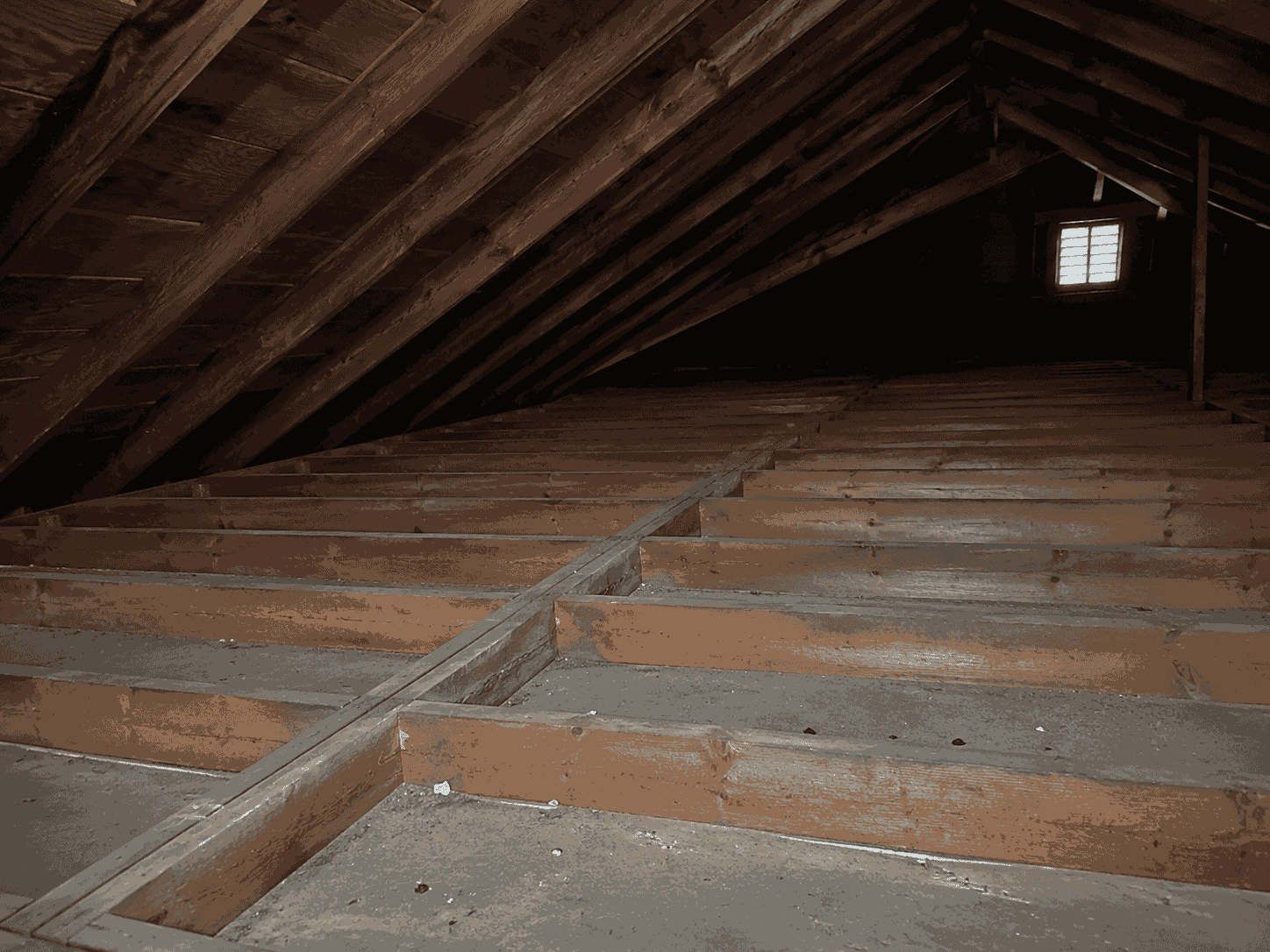 Before
Bare joists · R-11
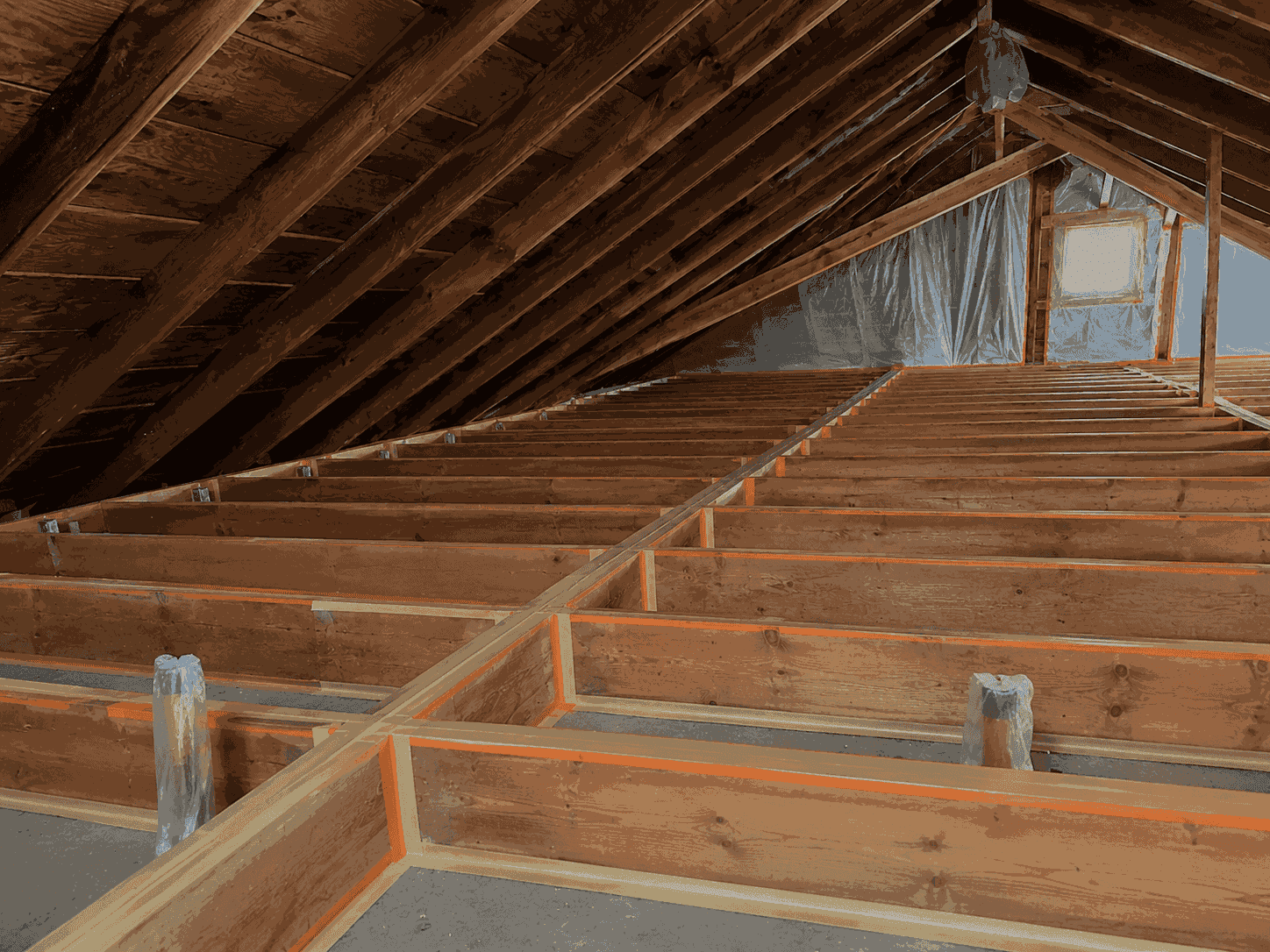
 Prep
PrepMasked + taped
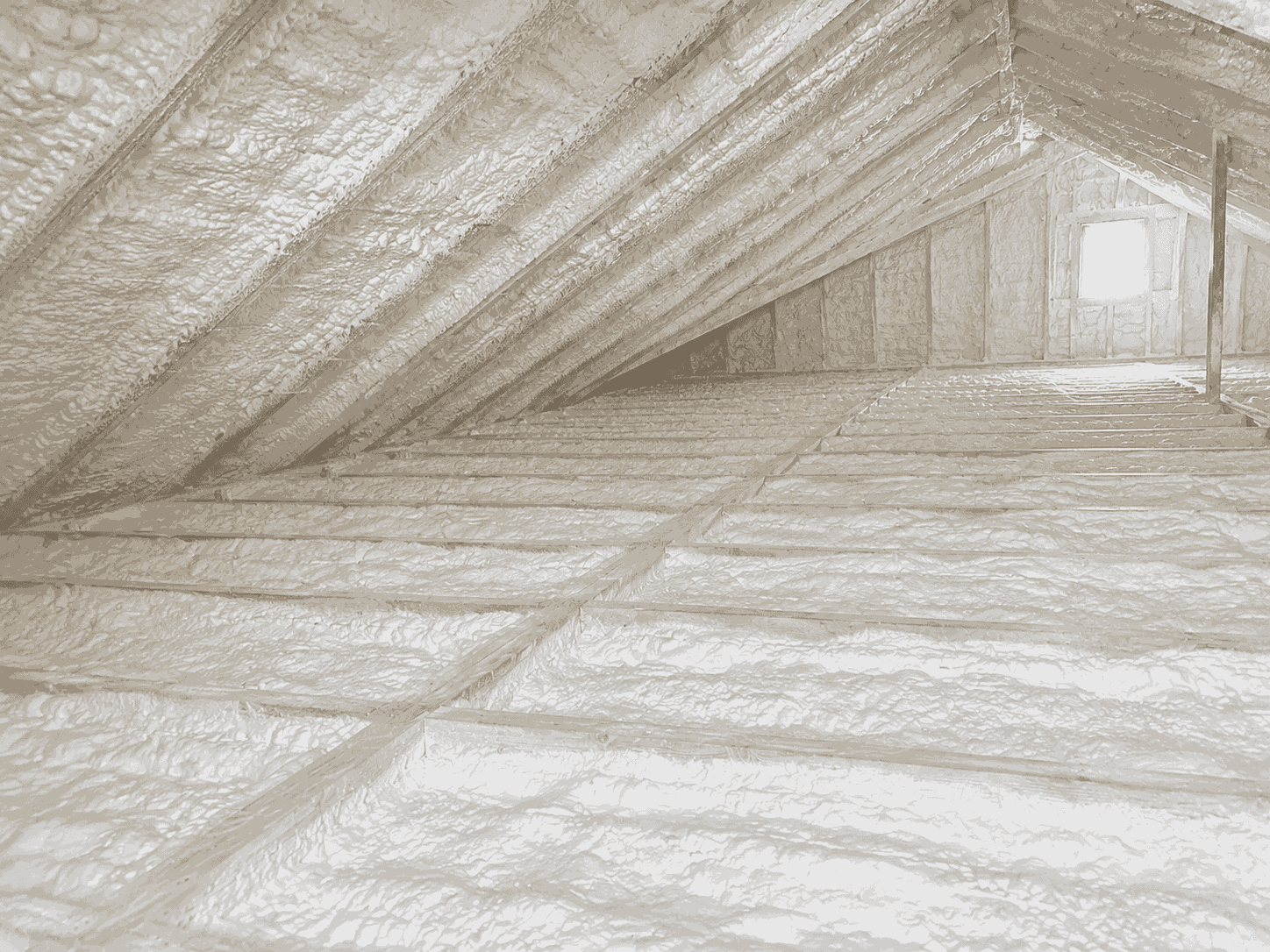
 Sprayed
Open-cell · R-38
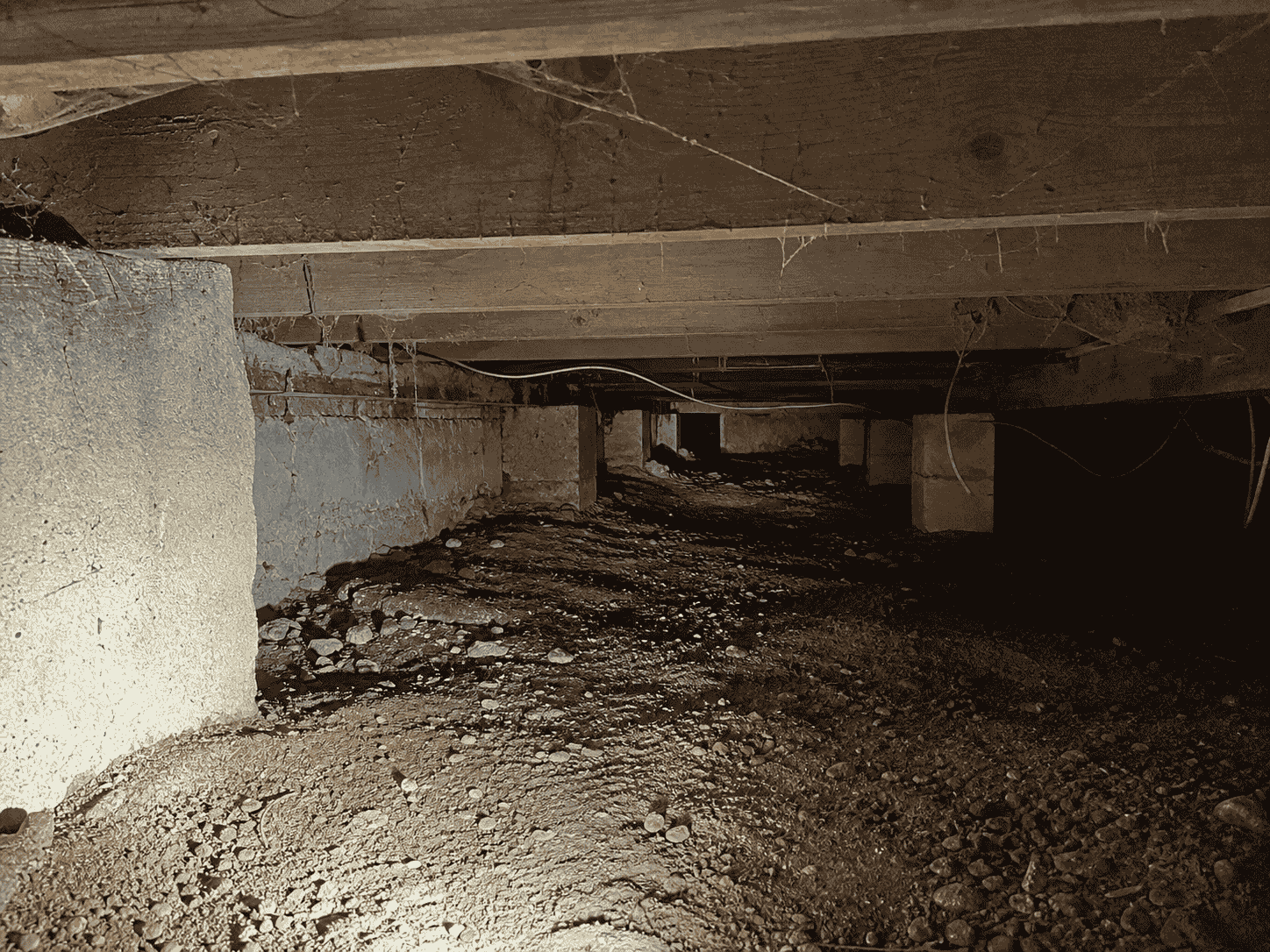 Before
Exposed sub-floor
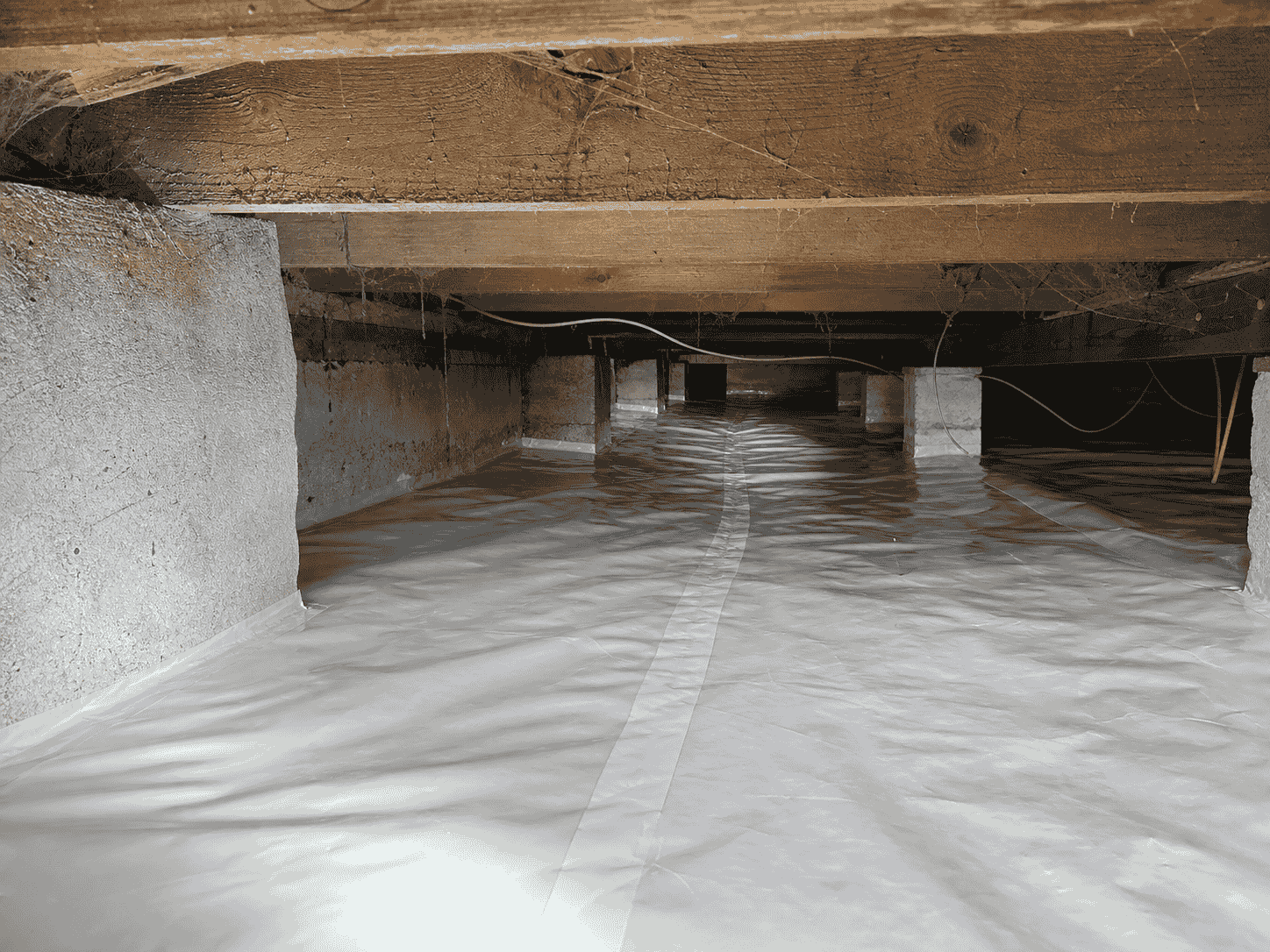 Vapor barrier
6-mil poly installed
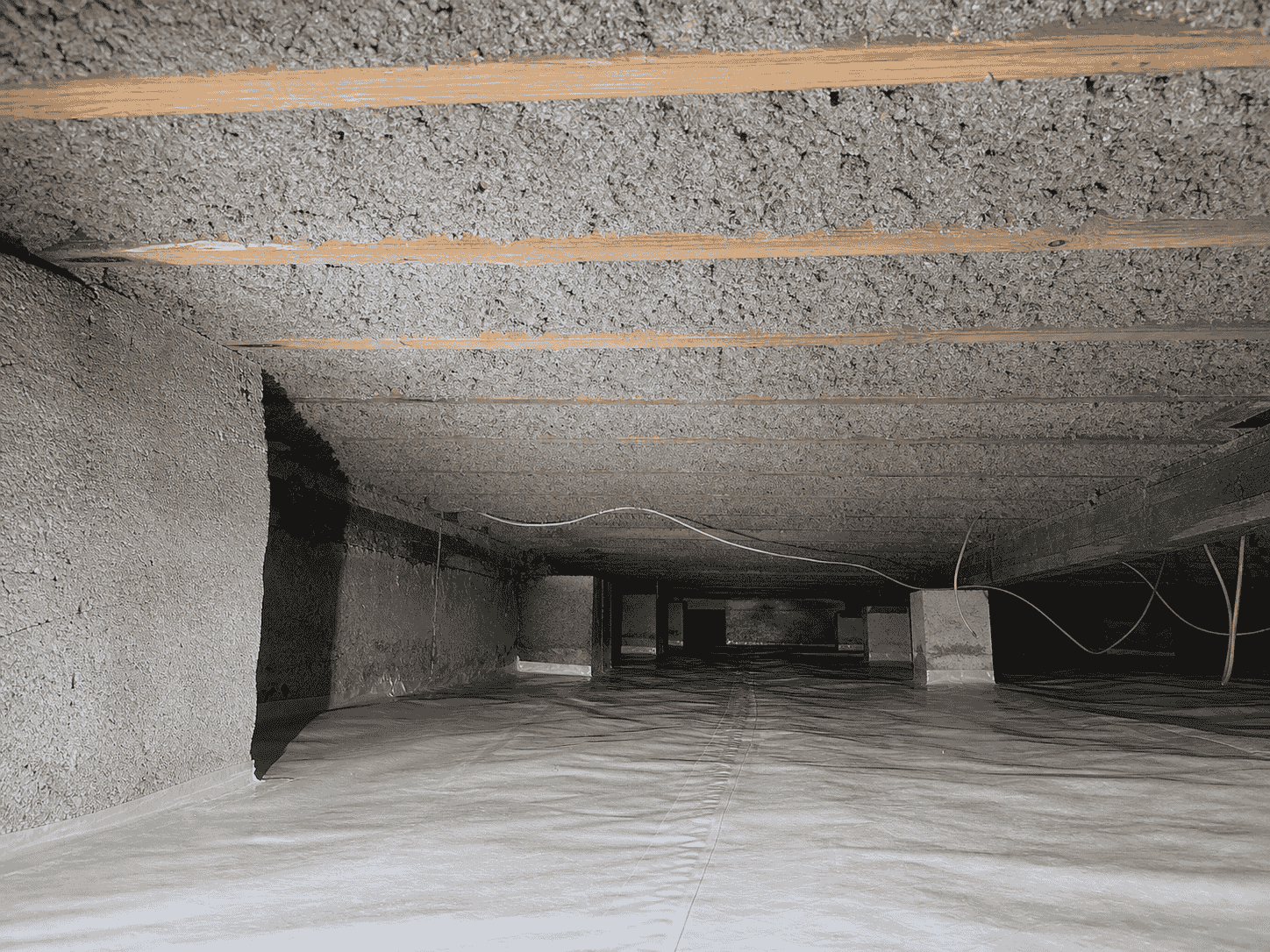 After
AfterBlown · R-19 met
02 Close-out documentation
Close-out: checklist, signature, compliance.
The job isn't done until it's documented. The Job Site's close-out tab walks the crew through a checklist, captures the customer's signature on the spot, and gathers the compliance docs — energy-code paperwork, moisture-barrier and vapor-retarder logs — in one place.
It's the same record the office sees, so nothing has to be re-collected before you can move the job to invoiced.
Close-out checklist
Customer signature
Sandra Reyes
Signed on-site · approved on the homeowner's phone
Compliance
03 Before / after & rebate paperwork
Before and after by zone — filed with the rebate paperwork.
Each zone keeps a clean before-and-after pair — the proof a homeowner and a program reviewer both want to see. And the blower-door test results and rebate paperwork — NYSERDA, utility programs — sit as structured records right next to the zone, so the whole rebate file is one place, not scattered across inboxes.
BeforeBare joists · R-11
AfterOpen-cell · R-38
Blower-door test (BDT)
Result: 2.8 ACH50 · passed
NYSERDA rebate application
Program: residential retrofit
Utility program form
Awaiting reviewer sign-off
04 Capabilities
Everything the documentation needs, nothing it doesn't.
From the first photo in the attic to the signed close-out — built into the same system that runs the rest of the insulation workflow.
Capture in the field
- Photos attached to the job site or area
- Fast mobile capture, one tap
- Offline save when there's no signal
- Auto-upload when back in range
- Voice or typed notes on a photo
Metadata that proves it
- Geotag on every photo
- Date and time stamp
- Tagged to the zone, not a camera roll
- Before / after pairing by area
- Captioned for the rebate reviewer
Close the job out
- Close-out checklist on the record
- Customer signature on-site
- Energy-code documentation
- Moisture-barrier + vapor-retarder logs
- Same record the office sees
Keep the file together
- Blower-door test (BDT) results
- Rebate paperwork (NYSERDA / utility)
- Structured records beside the zone
- Files tab on the job site
- Hands off to invoicing
05 Why it matters
Documentation is what gets you paid. Or holds the job up.
Proof, not a guessing game.
Photos live on the zone they document, so anyone can see what was done where — no scrolling a shared camera roll to find the attic.
The attic has no signal.
Capture saves offline and uploads later, so the crew never loses a photo to a dead crawlspace or a basement with no bars.
The rebate gets paid.
Geotagged before/after photos, the blower-door result, and the program paperwork sit together — so the rebate file is complete the day the job closes out.
06 Keep exploring
One workflow. Every step connected.
07 FAQ
Questions about insulation documentation.
Insulation photo documentation software is the tool insulation contractors use to capture, organize, and store job-site photos and close-out records tied to the work. In FieldCamp, every photo attaches to the job site or the specific area it documents — the attic, the crawlspace — instead of a generic camera roll. Crews capture on mobile, photos save offline when there's no signal and upload later, and each shot is geotagged and time-stamped. The same record holds the close-out checklist, the customer signature, the compliance logs, and the before/after photos and rebate paperwork.
It can be. Many insulation teams use a separate photo app for job-site documentation. FieldCamp builds that capability in — photos tied to the zone, offline capture, geotags, before/after pairing — so the photos live on the same job site record as the estimate, the work order, the close-out, and the rebate file. For a contractor who'd rather not run a separate photo tool and reconcile it back to the job, FieldCamp's built-in documentation is the alternative.
Yes. Photos save to the device offline, so a crew working an attic, a crawlspace, or a basement with no bars never loses a shot. The moment the phone is back in range, the photos upload and attach to the right zone automatically — no manual re-syncing, no photos stuck on someone's phone.
Yes. Every photo carries a geotag and a date-and-time stamp. Because some rebate and utility programs require geotagged photos as proof, that metadata is captured on the shot itself — so when you assemble the rebate file, the before/after photos already have what a program reviewer asks for.
The job site's close-out tab gathers three things in one place: a close-out checklist the crew works through, the customer's signature captured on-site, and the compliance block — energy-code documentation, moisture-barrier and vapor-retarder logs. It's the same record the office sees, so nothing has to be re-collected before the job moves to invoiced.
Right next to the zone they belong to. Blower-door test (BDT) results and rebate paperwork — NYSERDA, utility programs — are stored as structured records on the job site, alongside the before/after photos. The whole rebate file is one place instead of scattered across inboxes, so it's easy to see where each job stands and what's still outstanding.
Get started
See your close-out and rebate file mapped in fifteen minutes.
We'll set up your close-out checklist, signature, and compliance block on a real job site — and show how before/after photos and rebate paperwork sit beside the zone.