
- Why Text Infrastructure Alerts Instead of Emailing Them?
- 4 Infrastructure Alerts IT Teams Commonly Send as Text Messages
- How These IT Infrastructure SMS Alerts Reach Engineers in 60 Seconds
- The One Setup Detail to Know: Authorize Your Alert Senders
- Migrating From Carrier Email-to-SMS Gateways
- Frequently Asked Questions
Keep Your IT Alerts Reaching the Right People
4 Infrastructure Alerts Every IT Team Should Be Texting

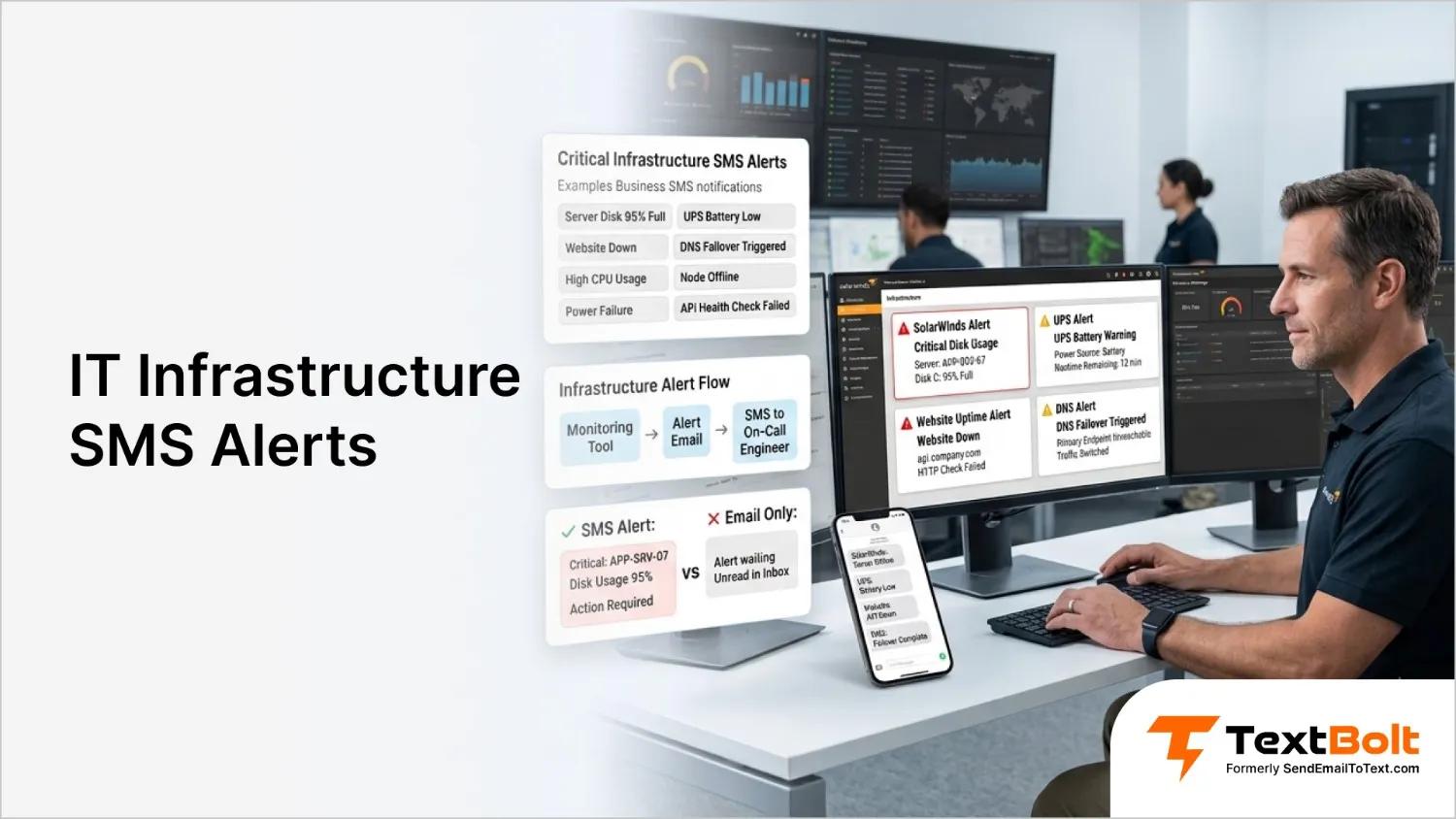
It’s 2:14 a.m. A server’s boot volume just crossed 95%. Your monitoring tool detects the issue and sends an alert email, but it lands in a mailbox that nobody is watching overnight. By the time the team sees it the next morning, the disk is full, services are failing, and the alert that should have prevented the outage arrived too late.
The monitoring system did its job. The notification path failed. TextBolt fixes that last step, turning the alert emails your tools already send into texts on your on-call team’s phones.
For years, many IT teams used carrier email-to-SMS gateways as a simple way to send these infrastructure alerts. An email sent to an address like 5551234567@vtext.com or @txt.att.net was converted into a text message without requiring an SMS provider account.
That option is now disappearing. T-Mobile retired tmomail.net on December 14, 2024, AT&T discontinued its email-to-text gateway on June 17, 2025, and Verizon’s vtext.com shutdown is expected to complete by March 31, 2027.
The method itself is not the problem; only the carrier gateways behind it are going away. TextBolt is the drop-in replacement. It delivers the same email-to-text conversion the carriers did, so you keep the exact workflow you already have and simply point your alerts at a service that isn’t being switched off.
In this guide, we will look at four common infrastructure alerts IT teams send as text messages:
- SolarWinds alerts
- UPS notifications
- Uptime monitoring failures, and
- DNS changes
We will cover how each alert is configured, common setup issues, and situations where SMS may not be the best escalation method.
Why Text Infrastructure Alerts Instead of Emailing Them?
Email alerts are useful, but they depend on someone actively checking a mailbox. For infrastructure issues that require immediate attention, SMS provides a faster and more direct way to reach the person responsible for fixing the problem.
1. SMS Alerts Get Read Faster Than Email
A text message gets read; an email can sit unopened for hours. When a server goes down, a UPS switches to battery power, or a critical service becomes unavailable, the goal is to make sure someone sees it and takes action.
For incidents that can happen outside business hours, SMS helps bridge the gap between detecting a problem and getting a human response. That gap is exactly what teams are closing when they move server downtime notifications off email and onto phones.
2. No New Tools, Agents, or Dashboards Required
Most monitoring systems already support email notifications. Whether you are using SolarWinds, a UPS monitoring platform, an uptime monitor, or a DNS monitoring service, the alert workflow is already in place.
Adding SMS does not require installing software agents or managing another dashboard. You simply send the existing email alerts through an email-to-SMS gateway so they arrive as text messages on your team’s phones.
3. Send Alerts Across Your Entire On-Call Team
Infrastructure issues rarely belong to one person. When a critical alert fires, the right engineer needs to see it regardless of their mobile carrier or location.
SMS alerting allows teams to send the same notification to multiple on-call members at once. Each person receives an individual text message, ensuring the alert does not depend on a shared inbox or a single point of contact.
4. Turn Alerts Into Two-Way Conversations
A notification should not be a one-way message that disappears after delivery. With two-way SMS, team members can reply to the alert and continue the conversation through their existing email workflow.
4 Infrastructure Alerts IT Teams Commonly Send as Text Messages
A notification should not be a one-way message that disappears after delivery. With two-way SMS, team members can reply to the alert and continue the conversation through their existing email workflow.
1. SolarWinds Orion Disk, Node-Down, and Interface Alerts
SolarWinds Orion is one of the most common sources of infrastructure alerts. Network and system administrators rely on it to monitor servers, applications, and network devices for issues such as low disk space, offline nodes, high CPU usage, memory spikes, and unstable interfaces.
These alerts are rarely something an engineer can review later. A server running out of disk space can stop applications, while a node-down alert may indicate a network or hardware failure that needs immediate attention.
How to Send SolarWinds Alerts as SMS
In SolarWinds Orion, open the alert configuration and update the email notification action. Instead of sending the alert to a mailbox, point it to an email-to-SMS destination:
+1[phonenumber]@sendemailtotext.com
SolarWinds automatically includes the alert details, such as the affected node, resource status, threshold value, and timestamp. The same information that appears in the email notification is delivered as a text message.
For teams with multiple on-call engineers, add each person’s SMS destination so the entire rotation receives the alert at the same time.
2. APC UPS Text Alerts: Battery Low, Power Loss, and Overload Events
UPS systems protect critical infrastructure during power interruptions, but the warning window can be short. A battery-low alert, unexpected switch to battery mode, overload condition, or failed self-test needs attention before equipment shuts down.
APC PowerChute software and APC Network Management Cards can send email notifications when these events occur.
How to Send APC UPS Alerts as SMS
In the PowerChute interface or APC Network Management Card settings, configure the email notification recipient as:
+1[phonenumber]@sendemailtotext.com
When the UPS reports an issue, the notification reaches IT or facilities staff as a text message instead of waiting in an email queue.
This gives the team time to investigate the power issue, start backup procedures, or safely shut down equipment before the battery runs out.
Get Your Alerts as Texts
No SDK, no webhooks, no code. If a tool can send an email, TextBolt can text your on-call team.
3. Website Uptime SMS Alerts
Website downtime does not always start with a major outage. A failed health check, unavailable API endpoint, broken login flow, or missing page element can impact customers before anyone notices.
Uptime monitoring tools such as AlertBot, Pingdom, and similar platforms continuously check websites, APIs, and applications and send alerts when a service becomes unavailable.
How to Send Uptime Alerts as SMS
Most uptime monitoring platforms allow you to add an email contact for notifications. Replace the regular email address with:
+1[phonenumber]@sendemailtotext.com
When a monitor detects a failure, the alert reaches the responsible person immediately. This helps teams investigate issues while they are still small instead of discovering them through customer complaints.
4. DNS Failover Alerts
DNS monitoring and failover services are responsible for detecting when systems become unavailable and switching traffic when needed. A missed DNS failover alert text can result in prolonged downtime, failed failover processes, or users being unable to reach an application.
DNS Made Easy and similar services typically send notifications when monitored systems go down or recover.
Many teams previously used carrier email-to-SMS gateways for these notifications, such as: 5551234567@vtext.com. As these carrier gateways are retired, the notification destination needs to change to +1[phonenumber]@sendemailtotext.com. Same phone number, same email-based mechanism, just an address need to change.
How These IT Infrastructure SMS Alerts Reach Engineers in 60 Seconds
TextBolt turns the email alerts your monitoring tools already send into SMS notifications for your on-call team:
- Your monitoring tool sends an email alert: SolarWinds, UPS management software, uptime monitors, DNS services, and other infrastructure tools already know how to send notifications when something goes wrong. TextBolt works with that existing email workflow, so your team does not need to replace monitoring tools or rebuild alert rules.
- The phone number becomes the SMS destination: Instead of sending an alert email to a mailbox or a retiring carrier gateway, your monitoring system sends it to a TextBolt address: +15551234567@sendemailtotext.com. TextBolt converts that email into an SMS message and delivers it to the associated phone number.
- Multiple engineers receive alerts at the same time: Critical infrastructure issues often require more than one person to be aware of the problem. Add multiple TextBolt addresses as email recipients, and each engineer receives their own private SMS notification. This works well for IT teams with shared on-call responsibilities because alerts do not depend on a single person checking an inbox or monitoring a dashboard.
- Engineers can reply back through email: TextBolt supports two-way messaging, allowing engineers to respond directly from their phones. Replies are converted back into emails and delivered to the connected inbox. This gives teams a simple record of alert acknowledgments, troubleshooting updates, and incident communication without requiring another collaboration tool.
- No API, SDK, or monitoring changes required: TextBolt does not require agents, scripts, webhook configurations, or custom integrations. Your monitoring systems continue sending email alerts as they do today. If a platform can send an email notification, it can send an SMS alert through TextBolt.
- Replace retiring carrier email-to-SMS gateways: Many IT teams previously used carrier gateways such as @vtext.com or @txt.att.net to deliver infrastructure alerts as texts. As these services are being retired, alerts can silently stop reaching engineers. Migrating to TextBolt only requires updating the alert destination address. Your monitoring rules, thresholds, and escalation workflows remain unchanged while the SMS delivery path moves to a dedicated business messaging service.
- Deliver automated alerts through a business SMS route: Infrastructure alerts are automated messages, which means they need a reliable delivery method. TextBolt uses A2P 10DLC-compliant messaging for US business SMS and handles the required registration process during onboarding.
The One Setup Detail to Know: Authorize Your Alert Senders
When you connect multiple monitoring tools to TextBolt, there is one important setup step that is easy to miss: authorizing the email addresses that send your alerts.
Every monitoring system uses its own sender address. For example:
- Internal monitoring system: autonotice@yourcompany.com
- Uptime monitoring service: alert@alertbot.com
- DNS monitoring platform: no-reply@dnsmadeeasy.com
TextBolt only turns an email into a text if it comes from an address authorized on your account. A message from an unrecognized sender is safely ignored (so strangers can’t text through your number).
That’s a good thing, but it means you should add each of your systems’ sending addresses as authorized senders when you set up. Do it once per tool and you’re done. (Not sure what a system sends from? Fire one test alert to yourself and check the “From” on the email that arrives.)
Migrating From Carrier Email-to-SMS Gateways
Many IT teams still use carrier email-to-SMS gateways such as @vtext.com or @txt.att.net to deliver infrastructure alerts. These services worked by converting an email into a text message, but many carriers are now retiring or limiting these older gateways.
Moving to TextBolt does not require changing your monitoring process.
Replace the Alert Destination, Not the Workflow
Your SolarWinds rules, UPS notifications, uptime checks, DNS alerts, and on-call contacts stay the same. The only update is changing the email destination.
Before:
5551234567@vtext.com
After:
+15551234567@sendemailtotext.com
Your monitoring tools continue sending email alerts. TextBolt handles the SMS delivery so critical notifications keep reaching your engineers without relying on carrier gateways that may stop working.
Your monitoring tools stay the same. TextBolt simply adds an SMS delivery layer so alerts that currently go to email can reach engineers on their phones. Whether it is a low disk warning, UPS battery alert, website outage, or DNS failure, teams can continue using their existing monitoring platforms without adding another alerting system.
By replacing old carrier email-to-SMS gateways, IT teams can keep their current alert rules and notification workflows while giving critical infrastructure alerts a more reliable path to the people who need to respond. Sign up now to try TextBolt free for 7-days and if you have any questions connect with us at support@textbolt.com.
Get Your First Alert Texting
Pick your loudest monitor — the disk-space alert, the UPS, the uptime check — point it at +1
Frequently Asked Questions
What is email to SMS for server alerts?
Email to SMS for server alerts is a method of turning a monitoring tool’s email notification into a text message by sending it to a gateway address instead of a mailbox. The monitoring system emails +1XXXXXXXXXX@sendemailtotext.com, the gateway converts the subject and body into an SMS, and it arrives on the on-call phone in seconds. Nothing is installed on the monitoring server, because the tool is already doing the only thing it needs to do, which is send an email. This is the same email-to-SMS gateway pattern that carrier addresses like vtext.com used, on a service that is not being retired.
Does this work with SolarWinds, APC, AlertBot, and DNS Made Easy?
Yes, and with any tool that can send an email notification, including Nagios, Zabbix, PRTG, Grafana, Datadog, and your own cron scripts. There is nothing to install and no plugin to maintain. You point an existing email action at the TextBolt address and authorize the sending address on your account. The setup is the same three steps regardless of which tool is firing the alert.
Can one alert text several people at once?
Yes. Add each on-call number as its own address on the To line of the alert action, formatted as +1XXXXXXXXXX@sendemailtotext.com, and every listed number gets its own private text. This suits rotations where an alert should hit a primary engineer and a backup simultaneously. Note that recipients do not see each other, so this is not a group thread and replies come back individually.
Can an engineer reply to an alert text?
Yes, and the reply comes back as email in your inbox, threaded under the original alert subject. That gives you a timestamped record of who responded to what. The two-way messaging works in both directions, though the reply lands in the inbox rather than back inside SolarWinds or your uptime monitor, so it does not acknowledge or clear the alarm in the source system.
Is this a replacement for vtext and txt.att.net?
Yes. It is the same email-to-SMS mechanism on a service that is not being shut down, so the migration is a domain swap on the recipient address. AT&T’s gateway closed June 17, 2025 and T-Mobile’s stopped resolving in December 2024. Verizon’s vtext.com shutdown completes March 31, 2027, and Verizon’s own notice warns that some senders will lose access before that date.
When does an alert deserve a text rather than an email?
An alert deserves a text when a human has to act within minutes and the cost of missing it is real, such as a node down, a UPS on battery, a checkout flow failing, or DNS failover firing. Alerts that are informational, trending, or reviewed on a schedule belong in email or a report. The discipline matters, because an on-call phone that buzzes forty times a night gets silenced and then the one that mattered gets missed too.
How much does it cost for high-volume alerting?
TextBolt offers flexible plans for businesses of all sizes. Message usage is based on recipients. For the latest plans, features, and pricing, visit the TextBolt pricing page.
Which countries does this work in?
TextBolt delivers to any mobile number in the US and Canada, across every major carrier.