
Email to Text Service
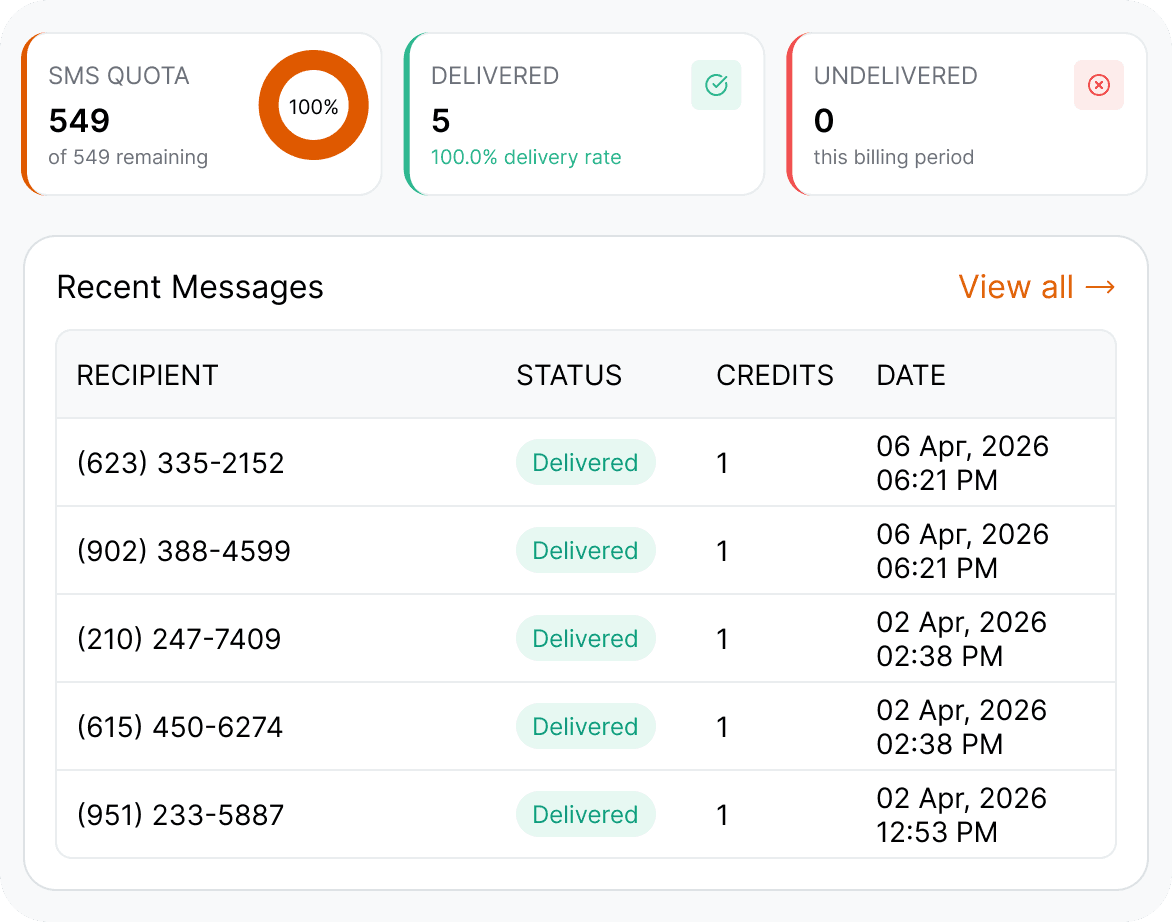
You can send and receive text messages from your email inbox with an email-to-text gateway TextBolt, which replaces the retired carrier gateways (txt.att.net, vtext.com, tmomail.net). Any system that can send an email can reach a phone as an SMS, and replies come back to your inbox. You address a normal email to +1[PhoneNumber]@sendemailtotext.com, the subject and body become the text, and the recipient answers from their phone without installing anything.
-
 Works directly from your email inbox: Gmail, Outlook, or any SMTP client
-
Works with your 10DLC business number
-
Replies thread back to the admin’s inbox


What Is an Email to Text Service?
An email to text message service bridges your email inbox and the mobile networks. You write a normal email, address it to the recipient’s phone number at TextBolt’s gateway domain, and the recipient gets it as a regular SMS on their phone. Their reply travels the same bridge in reverse and lands back in your inbox.
For years, carriers gave this away for free through addresses like txt.att.net and vtext.com. Those gateways are now shut down or shutting down, which is why businesses are moving to a professional email to SMS service that delivers reliably and meets 10DLC compliance requirements. TextBolt handles all of this from the email client your team already uses.
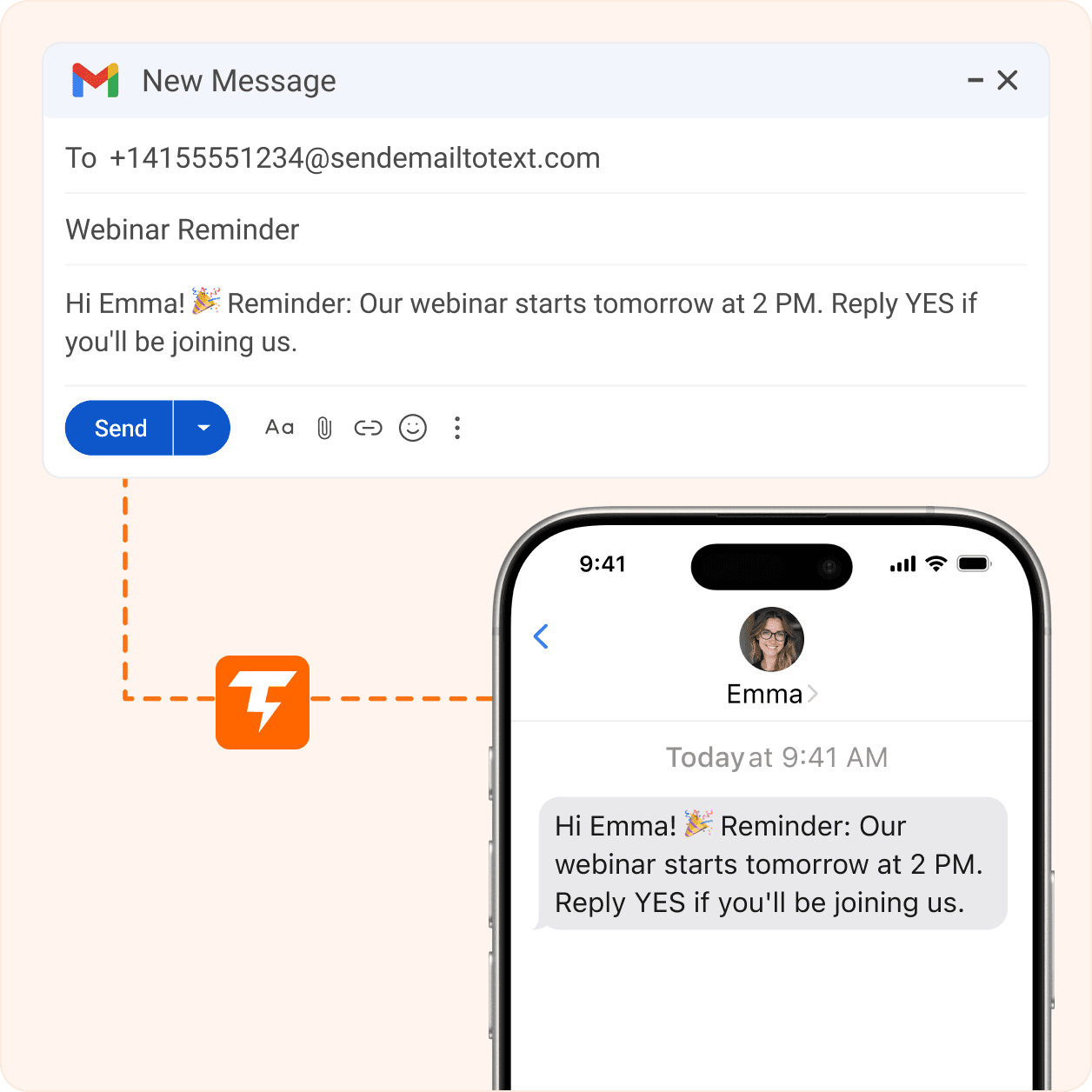
How TextBolt Compares to Other Email to Text Service Providers
Most email to text service providers make you learn a new dashboard. TextBolt works inside the inbox your team already opens every morning.
Up to 98% Delivery Rate*
Registered 10DLC routes keep your texts off carrier spam filters, so messages actually land on phones instead of silently disappearing.
Any Email Client
Gmail, Outlook, Apple Mail, Yahoo, or any SMTP system. If it can send an email, it can send a text through TextBolt.
10DLC Compliant
We register your brand and campaign with the carriers on your behalf. Your messages travel approved business routes from day one.
Fast Guided Setup
Connect your inbox in about 30 minutes. 10DLC business verification typically completes in 1-2 business days, then you can text any carrier.
Team Collaboration
Standard and Professional plans cover up to 10 teammates with shared contacts and full message history. No per-seat charges.
Two-Way Messaging
Every reply to your text lands back in your email inbox, so entire conversations happen without your team leaving email.
How to Send a Text Message from Email
Compose, send, done. Your inbox handles the rest.
Compose Your Email
Open a new email in any client you already use. Address it to the recipient’s phone number at your TextBolt gateway address +1[number]@sendemailtotext.com.
Send to TextBolt
Hit send like any normal email. TextBolt converts the message to SMS, applies 10DLC compliance, and routes it to the right carrier.
Message Delivered, Replies Threaded Back
The recipient gets a standard SMS on any carrier. When they reply, the response shows up in your inbox like any other email.
One Email to SMS Service, Every Email Client
If your team can send email, they can send texts. Nothing new to install or learn.
Why Free Carrier Email-to-Text Gateways Shut Down
For years, carriers gave email-to-text away free through addresses like 5551234567@txt.att.net and 5559876543@vtext.com. Those gateways are now shut down or shutting down. AT&T’s txt.att.net shut down on June 17, 2025, and T-Mobile’s tmomail.net stopped working reliably in late 2024. Verizon’s vtext.com shuts down fully by March 31, 2027. That is why businesses are moving to a professional email to SMS service that delivers reliably.
Message to 5551234567@txt.att.net
Bounce: Address no longer active. Gateway discontinued June 2025.
Message to 5559876543@vtext.com
Bounce: Delivery failed. Service permanently discontinued.
Message to +15551234567@sms.textbolt.com
Delivered successfully via 10DLC-compliant route.
Reply received from 555-987-6543
Two-way reply delivered to your email inbox.
Full Feature Comparison
What You Gain by Switching to a Paid Email to SMS Gateway Service
The bounce message above is only the most visible problem. Even when carrier gateways worked, they never offered team access, delivery tracking, two-way replies, or 10DLC compliance. Now that they’ve been discontinued, businesses need a professional replacement that delivers all of it. The table below shows exactly what you get when you move from a free carrier gateway to TextBolt’s email to SMS service.
| Feature | Carrier Gateways | TextBolt |
|---|---|---|
| Service Status | Discontinued | Active |
| Delivery Rate | Unreliable (no tracking) | Up to 98%* |
| 10DLC Compliance | Not supported | Included |
| Two-Way Messaging | Limited / None | Full support |
| Team Access | Not available | Up to 10 users |
| Message Tracking | None | Full dashboard |
| Cost | Free (now defunct) | From $29/mo |
Popular Use Cases
From front desks to server rooms, these are the messages teams send through TextBolt every day
Appointment Reminders
Dental offices, salons, and repair shops cut no-shows by emailing reminders that arrive as texts on the customer’s phone.
IT Alerts
Any monitoring tool that can send email can send SMS alerts. No API work, no code changes.
Emergency Alerts
When something can’t wait for an email to be opened, emergency text alerts reach staff phones the moment they’re sent.
Internal Team Updates
Shift swaps, schedule changes, and urgent announcements reach every employee’s phone in seconds, not whenever they check email.
Dispatch Notifications
Dispatchers email job details and drivers get them as dispatch text notifications on the road. Nothing for field crews to install.
Explore More Use Cases
From server monitoring to CI/CD pipeline failures, browse every TextBolt use case to find your exact scenario.
Industries That Text From Their Inbox Every Day
Wherever a team already lives in email, TextBolt turns that inbox into a texting tool
Transport and Logistics
Dispatchers and fleet managers text drivers job updates from email, with no callbacks and no driver app to install.
Education
Schools and districts send closure notices and parent reminders straight from the front office email account.
Law Firms
Send appointment reminders, case updates, and important notices to clients while managing all replies in a inbox.
Healthcare Clinics
Appointment and follow-up texts from your existing email inbox.
Real Estate
Agents confirm showings and send time-sensitive updates from the same email thread they already manage.
Government
Agencies and municipalities send meeting notices and service alerts that residents actually open and read.
No Dashboards. No Training. Just Send an Email
Every text your business needs to send is one email away. Try TextBolt with the inbox you already have.

CUSTOMER REVIEWS
What Our Clients Say
Businesses that replaced dead carrier gateways and personal phones with TextBolt
On Google Workspace Marketplace, with
 263K+ installs

Our alert scripts emailed phone numbers for years. When AT&T shut that down, I pointed the same scripts at TextBolt’s address. Done in an afternoon.

Systems Administrator
Midwest Freight Group
Snow day alerts used to take us an hour of calls and emails. Now the front office sends one email and every parent gets a text in minutes.

Assistant Principal
Lakeside Elementary
Patients text back YES to reminders and it lands in our shared inbox. Anyone at the desk can answer. That’s really all we needed.

Front Office Lead
Brightsmile Dental
Frequently Asked Questions
Does email to text still work?
Yes, sending a text from email still works, but not through the old free carrier gateways. AT&T’s addresses were permanently shut down on June 17, 2025, T-Mobile’s tmomail.net was retired in December 2024, and Verizon’s vtext.com is phasing out with a full shutdown scheduled for March 31, 2027. Teams now route the same emails through a professional email-to-SMS service that delivers reliably and meets 10DLC compliance.
How do I send a text message from email?
With TextBolt, you compose an email in your regular client, address it to the recipient’s phone number at TextBolt’s gateway address, and hit send. The message arrives as a standard SMS within seconds. No special formatting or software required.
What replaced the AT&T email to text service?
The AT&T email to text service at txt.att.net was permanently discontinued on June 17, 2025. Businesses that relied on it now use a dedicated service like TextBolt, which works across every carrier rather than just AT&T and includes the 10DLC registration that carrier gateways never offered.
What happened to the other carrier email-to-text gateways?
T-Mobile retired tmomail.net in December 2024, AT&T shut down txt.att.net on June 17, 2025, and Verizon is phasing out vtext.com with a full shutdown by March 31, 2027. Free carrier gateways are no longer a reliable option, so businesses now use a professional email to SMS service like TextBolt instead.
Is TextBolt’s email to SMS service 10DLC compliant?
Yes. TextBolt handles 10DLC registration, brand verification, and campaign approval as part of setup. Full compliance is included on all plans at no extra cost, with business verification typically completed within 1-2 business days.
Can I receive text replies in my email inbox?
Yes. TextBolt supports full two-way messaging. When a recipient replies to your text, their response is converted back to an email and delivered to your inbox. You can continue the conversation entirely from email.
How much does an email to text service cost?
TextBolt plans start at $29/month for the Basic plan (500 SMS credits, single user). The Standard plan at $49/month includes 1,000 credits and up to 10 team members, and the Professional plan at $99/month includes 2,500 credits. Enterprise pricing is available for 5,000+ credits per month.
Is there a character limit when sending a text from email?
A standard SMS is 155 characters. Keep each message under that limit so it arrives as a single text instead of being split into several segments. Longer emails are still delivered, but they may use multiple SMS credits.
What do I need before I can start sending business texts from email?
You need three things: an email client or system that can send over SMTP (Gmail, Outlook, Apple Mail, Yahoo, or any SMTP tool), a registered A2P 10DLC business number, and documented SMS consent from your recipients. With a professional email-to-SMS service, 10DLC registration is handled for your account and approval can take up to 48 hours before sending.
How do I move my alerts from a carrier gateway to TextBolt?
Change only the destination address. Replace 5551234567@vtext.com or 5551234567@txt.att.net with +15551234567@sendemailtotext.com, which works for every carrier. Add the sending address as an approved sender in TextBolt. Alerts reach phones once your 10DLC approval comes through, which takes up to 48 hours.
Can monitoring tools like PagerDuty or Datadog send text alerts through TextBolt?
Yes. Any tool that sends email alerts can text a phone, including PagerDuty, Opsgenie, Datadog, Nagios, UptimeRobot, AWS CloudWatch and Grafana. Point the alert email at your TextBolt gateway address. No code change is needed.
Can a library system like Koha send patron text notices through TextBolt?
Yes. In Koha, set SMSSendDriver to Email, turn on EnhancedMessagingPreferences, and set the SMS cellular provider domain to sendemailtotext.com. Check that patron numbers include the 1 country code, then test one notice type before turning it on for all patrons.
Start Sending Texts From the Inbox You Already Have
Thousands of businesses trust TextBolt as their email to text service. Yours can be next.