
- Why Consider Alternatives to SimpleTexting?
- What to Look for in a SimpleTexting Alternative
- How We Analyze and Select These Alternatives
- Comparison of Top SimpleTexting Alternatives
- The 9 Best SimpleTexting Alternatives for 2026
- 1. TextBolt: Best Overall SimpleTexting Alternative
- 2. Salesmsg: Best for Native CRM Texting
- 3. SlickText: Best for Marketing Automation
- 4. ClickSend: Best for High-Volume Senders
- 5. TextMagic: Best for Credit Flexibility
- 6. Textedly: Best Budget Option
- 7. EZ Texting: Best for SMS Marketing Beginners
- 8. Twilio: Best for Developers
- 9. TextUs: Best for Conversational Sales Texting
- Why TextBolt Is The Best Choice for Your Business
- The Hidden Costs of Switching SMS Platforms
- How Do You Move System Alerts Off Carrier Gateways?
- Start Sending Texts From Your Email Today
- Frequently Asked Questions
Switch to TextBolt Today
9 Best SimpleTexting Alternatives for Business Messaging


A new hire needs to text customers, and your SimpleTexting bill grows by another seat. Or most of your texts are one-to-one follow-ups and system alerts, and a campaign dashboard feels like the wrong tool for the job.
The best SimpleTexting alternatives depend on how many people text, what you can spend, and whether you send campaigns or conversations. TextBolt, an email to SMS gateway, fits teams that text from Gmail or Outlook, with replies back in each sender’s inbox.
For other needs, SlickText fits marketing automation, EZ Texting fits beginners, and Salesmsg fits CRM-based sales teams. TextMagic suits pay-as-you-go and international sending, and ClickSend suits multi-channel messaging.
This guide gives you a quick-pick list, a side-by-side table on the points that decide a team’s bill, and what SimpleTexting actually costs as a team grows. It also covers how to move alerts off retired carrier email-to-text gateways.
Why Consider Alternatives to SimpleTexting?
SimpleTexting serves small businesses well for basic SMS marketing. However, users consistently report several pain points that drive them to explore other options.
Common SimpleTexting Frustrations
1. Delivery Delays and Monitoring Issues
Many users report messages getting stuck in SimpleTexting’s monitoring queue for 30+ minutes. When you’re sending time-sensitive appointment reminders or urgent alerts, these delays can cost you customers.
2. Pricing That Scales Poorly
SimpleTexting pricing starts at $39/month for just 500 messages. Need more volume? Costs escalate quickly:
| Messages | Monthly Cost |
| 500 | $39 |
| 1,000 | $59 |
| 2,000 | $89 |
| 7,500 | $239 |
| 15,000 | $409 |
Add $20/month per additional team member, and your costs multiply fast.
3. 10DLC Registration Problems
Since December 2024, users have reported significant issues with SimpleTexting’s 10DLC registration process. Some businesses face account lockouts or rejected campaigns due to changing compliance requirements. If you want to know more about SimpleTexting reviews read our guide.
What to Look for in a SimpleTexting Alternative
Most buyers comparing SimpleTexting alternatives end up weighing the same three things. Answer these three questions and the shortlist writes itself.
Do Credits Expire, and What Are the Hidden Fees?
Check whether text credits roll over or expire, and watch for separate per-user and per-number fees. SimpleTexting includes three users, then charges $20 per additional teammate per month and $10 per additional number. TextBolt uses transparent per-text pricing with no hidden platform fee.
Standard and Professional plans include up to 10 team members at no per-seat cost, all sending from one dedicated number. Monthly plan credits don’t roll over, but top-up credits never expire.
How Well Does It Integrate With Your CRM?
Some tools integrate natively with CRMs like HubSpot and Salesforce; others rely on Zapier or a manual export. TextBolt is used alongside HubSpot, Salesforce, Outreach, Pipedrive, Apollo, Zendesk, Freshdesk, Acuity, Calendly, SimplePractice, and Jane App, and for on-call teams, PagerDuty, Opsgenie, Datadog, and Nagios.
Can Your Whole Team Send, and Where Do Replies Land?
Two-way messaging is table stakes. The real difference is where replies go. Some platforms route every reply to one shared catch-all dashboard; TextBolt threads replies back to the original sender’s inbox, so a sales rep or front-desk staffer owns their own conversation.
Essential Features to Confirm
- Reliable delivery: High delivery rates with 10DLC compliance
- Easy setup: Account setup in minutes, with carrier registration handled for you
- Team access: Multiple users without per-seat charges
- Two-way messaging: Receive and respond to replies
- Compliance built-in: TCPA and 10DLC handled during setup
How We Analyze and Select These Alternatives
We evaluated dozens of SMS platforms to find the best SimpleTexting alternatives. Our selection criteria focused on what matters most to businesses switching platforms:
| Criteria | What We Evaluated |
| Pricing Transparency | Clear pricing without hidden fees, per-user costs, and value at scale |
| Delivery Reliability | Actual delivery rates, 10DLC compliance, and carrier relationships |
| Ease of Use | Setup time, learning curve, and training requirements |
| Team Accessibility | Multi-user support, collaboration features, and access management |
| Integration Options | Email compatibility, API availability, and existing workflow support |
| Customer Support | Response times, support channels, and user reviews |
Each alternative below is evaluated against these criteria with honest pros and cons.
Comparison of Top SimpleTexting Alternatives
Not all SMS platforms are created equal. Here’s a quick comparison to help you narrow down your options based on pricing, use case, and email integration capabilities.
| Platform | Starting Price | Best For | Email-to-SMS | Two-Way to Inbox | No-Code Setup |
|---|---|---|---|---|---|
| TextBolt | $29/month | Email-native workflows | Yes | Yes | Yes |
| Salesmsg | $25/month | Native HubSpot/Salesforce texting | No | No, shared inbox | Dashboard |
| SlickText | $29/month | Marketing automation | No | No | Dashboard |
| ClickSend | $0.0283/SMS + carrier fees, top-ups from | Volume senders | Yes | Yes, via email-to-SMS | Config |
| TextMagic | $0.049/SMS + $10/month per number | Credit flexibility | Yes | Yes, via email-to-SMS | Dashboard |
| Textedly | $29/month | Budget-conscious | No | No | Dashboard |
| EZ Texting | $25/month | Beginners | No | No | Dashboard |
| Twilio | $0.0083/SMS segment + carrier fees | Developers | No | No | Code required |
| TextUs | $299/month | Conversational sales and recruiting texting with CRM/ATS integrations | No | No, replies land in the TextUs platform | Yes, through its dashboard |
The 9 Best SimpleTexting Alternatives for 2026
Each alternative to the Simple Texting platform below offers something different. We’ll break down what makes each one unique so you can find the right fit for your business.
1. TextBolt: Best Overall SimpleTexting Alternative
TextBolt is best for teams that want to send and receive texts from Gmail or Outlook with no dashboard to learn. To text someone, address an email to +1[Phone Number]@sendemailtotext.com, and whatever you write in the subject and body arrives as the message. Anyone on the team who can write an email can text a customer.

US business texting requires A2P 10DLC registration, which our 10DLC compliance guide explains step by step. TextBolt files the registration for each US account during setup, and carrier approval can take up to 48 hours.
TextBolt vs SimpleTexting Comparison
| Feature | TextBolt | SimpleTexting |
|---|---|---|
| Works from email | ✓ Yes | ✗ No |
| Starting price | $29/month | $39/month (includes $10 local number) |
| Messages included | 500 | 500 |
| Additional users | Basic is single-user; up to 10 included on Standard and Professional | 3 included, then +$20/month each |
| Setup time | 30 minutes, plus up to 48 hours for 10DLC approval | Same-day number activation, plus 10DLC approval |
| 10DLC registration | ✓ Handled for you | Guidance provided, $4 one-time carrier fee |
| Learning curve | ✓ Zero | Requires training |
Key Capabilities of TextBolt
- Email-native workflow: Send SMS from Gmail, Outlook, Thunderbird, Apple Mail, or any email client by composing an email to +1[phonenumber]@sendemailtotext.com
- Two-way messaging: Replies thread back to the original sender’s inbox, not a shared catch-all, with no separate dashboard to check.
- Team access included: Up to 10 team members on Standard and Professional plans with no per-seat fees, so coverage never depends on one person
- Transparent per-text pricing: Monthly credits on every plan, no hidden platform fee, and no per-seat fee on team plans.
- Up to 98% delivery rate: Messages actually reach recipients
- Dedicated business number: Every plan includes a dedicated number, and a toll-free number is available as an add-on.
- Monitoring and DevOps alerts: Route SMS from Nagios, Datadog, Grafana, PRTG, Zabbix, and SolarWinds by adding one gateway address to existing alert rules
- CRM and helpdesk alerts: Trigger text notifications from HubSpot, Salesforce, Zendesk, and Freshdesk through existing workflow email outputs
- 1-click system senders: Alarm panels, IoT devices, and scripts can text through your account without a user login
- Message history: Every text logged in the dashboard with delivery status, timestamp, failure reason, and credits used, filterable by date, status, and keyword.
- 30-minute setup: No developers or IT department required, 10DLC approval typically completes within 48 hours
Pros and Cons of TextBolt
| Pros ✓ | Cons ✗ |
|---|---|
| Zero learning curve, uses existing email | No built-in marketing automation |
| No per-seat fees on Standard and Professional (up to 10 users) | Requires an email client (not a standalone app) |
| Up to 98% delivery with 10DLC | No MMS support currently |
| 30-minute setup, plus up to 48 hours for 10DLC approval | Built for notifications and operational texting, not mass marketing |
| Works with existing workflows |
Who Uses TextBolt?
TextBolt is trusted by healthcare providers, small businesses, IT departments, and schools who need reliable SMS without learning new software. The email-to-text service integrates seamlessly with workflows you already use.
TextBolt Pricing
TextBolt pricing fits businesses of any size. All plans include inbox-based SMS, delivery tracking, and opt-out compliance, and start at $29/month with 500 SMS credits. Texts beyond your monthly credits are billed at your plan’s rate.
| Plan | Monthly Price | Message Credits | Team Members |
|---|---|---|---|
| Basic | $29 | 500 | 1 |
| Standard | $49 | 1,000 | Up to 10 |
| Professional | $99 | 2,500 | Up to 10 |
| Enterprise | Custom | 5,000+ | Contact sales |
Best For
Businesses, teams, and systems that want reliable two-way SMS with zero learning curve: sales reps texting leads, healthcare front desks confirming appointments, IT teams paging on-call engineers, and libraries sending patron notices.
Still Not Sure Which Alternative Is Right for You?
If you want simplicity without sacrificing reliability, TextBolt is the clear choice. Send texts from your existing email with no new platform to learn.
2. Salesmsg: Best for Native CRM Texting
Salesmsg is built for sales teams that live inside a CRM. It integrates natively with HubSpot and Salesforce, offering texting widgets inside the CRM itself, and adds voice calling from the same number.

Key Capabilities of Salesmsg
- Native HubSpot and Salesforce integration with in-CRM widgets
- Two-way texting from a dedicated business number
- Voice calling from the same number as your texts
- Shared team inboxes for sales conversations
Pros and Cons of Salesmsg
| Pros ✓ | Cons ✗ |
|---|---|
| Native CRM integration, not Zapier-dependent | Dashboard workflow to learn |
| Voice + text from one number | No email-to-SMS path |
| Built for sales conversations |
Salesmsg Pricing
| Plan | Monthly Price | Message Credits | Team Members |
| Basic | $25 | Varies by credit tier | 1 (+$10/month per extra user) |
| Pro | $277 | Varies by credit tier | 1 (+$10/month per extra user) |
| Enterprise | Custom | Custom | Custom |
Best For
HubSpot and Salesforce users who need native texting widgets inside their CRM and voice calling from the same number.
3. SlickText: Best for Marketing Automation
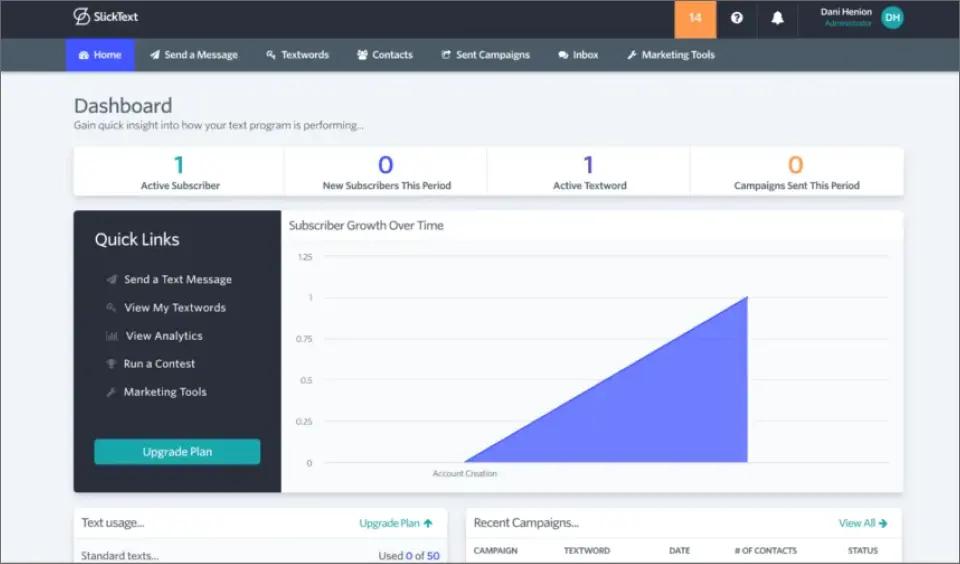
SlickText offers robust automation for businesses focused on SMS marketing campaigns, excelling at drip campaigns, text-to-join keywords, and subscriber management.
Key Capabilities of SlickText
- Strong automation and workflow builders
- Unlimited keywords on all plans
- Text-to-win contests and polls
- Detailed analytics dashboard
- Drip campaigns and subscriber segmentation
Pros and Cons of SlickText
| Pros ✓ | Cons ✗ |
|---|---|
| Powerful marketing automation | No email-to-SMS capability |
| Unlimited keywords included | Pricing scales to $939/month |
| Contest and poll features | Requires learning a new platform |
| Strong analytics | MMS uses 3 credits per message |
SlickText Pricing
| Plan | Monthly Price | Message Credits |
| Starter | $29 | 500 |
| Professional | $49 | 1,000 |
| Business | $79 | 2,000 |
| Growth | $129 | 3,500 |
| Elite | $939 | 50,000 |
Best For
Marketing teams running promotional campaigns, contests, and subscriber growth programs that need advanced automation.
4. ClickSend: Best for High-Volume Senders
ClickSend operates on a pay-per-message model that benefits high-volume senders, covering SMS, MMS, and RCS rich messaging. Voice, email, fax, and post are no longer available to new customers. For real-world detail, see the ClickSend reviews.

Key Capabilities of ClickSend
- Pay-as-you-go from $0.0283 per SMS with a $20 top-up, plus a $0.0041 carrier fee, with lower rates at higher tiers. See our ClickSend pricing guide.
- Email-to-SMS gateway, with replies returned to the sending inbox
- Global coverage in 220+ countries
- Multi-channel messaging (SMS, MMS, voice, physical mail)
- Volume discounts for high senders
Pros and Cons of ClickSend
| Pros ✓ | Cons ✗ |
| Lowest per-message rates | Complex pricing structure |
| Email-to-SMS available | Less intuitive interface |
| Global coverage | Support quality varies |
| Multi-channel options |
ClickSend Pricing
| Plan | Top-Up Amount | Approx. SMS |
| Boost | 20(0.0283/SMS) | 706 |
| Growth | 100(0.0202/SMS) | 4,950 |
| Scale | 1,000(0.0130/SMS) | 76,923 |
| Enterprise | 2,000(0.0093/SMS) | 215,053 |
Best For
Businesses with high message volumes (10,000+ monthly) who want pay-as-you-go flexibility and international reach.
If ClickSend isn’t the right fit for your use case, these ClickSend alternatives outline other platforms with different pricing models and setup approaches.
5. TextMagic: Best for Credit Flexibility
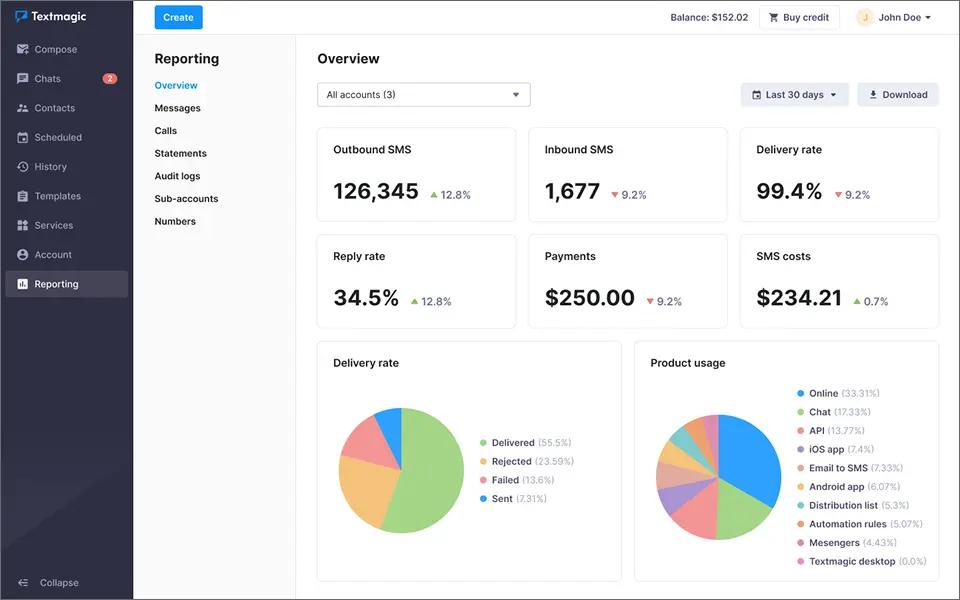
TextMagic offers a pay-as-you-go model with credits that never expire. This flexibility appeals to businesses with irregular messaging needs. For a full cost breakdown, see our detailed TextMagic pricing guide.
Key Capabilities of TextMagic
- Credits never expire; pay-as-you-go pricing
- Email-to-SMS functionality, with replies returned to the sending inbox
- Unlimited users and contacts at no extra cost
- Shared inboxes and automation
- Outbound US SMS at $0.049 per text; $10 per number per month, plus $10 per month per 10DLC campaign on local numbers
Pros and Cons of TextMagic
| Pros ✓ | Cons ✗ |
|---|---|
| Credits never expire | Higher per-message cost ($0.049/text) |
| Email-to-SMS available | Monthly number and 10DLC campaign fees |
| International reach | Bulk MMS not supported |
| Multi-platform messaging | US 10DLC or toll-free verification takes 2 to 7 business days |
TextMagic Pricing
| Plan | Monthly Cost | Message Credits |
| Pay-as-you-go, 500 SMS | 34.50(24.50 credit + $10 number) | 500 |
| Pay-as-you-go, 1,000 SMS | 59(49 credit + $10 number) | 1,000 |
| Pay-as-you-go, 2,000 SMS | 108(98 credit + $10 number) | 2,000 |
| Pay-as-you-go, 5,000 SMS | 255(245 credit + $10 number) | 5,000 |
Best For
Businesses with seasonal or irregular messaging patterns that want non-expiring credits and unlimited users. See our TextMagic reviews guide for user experiences.
6. Textedly: Best Budget Option
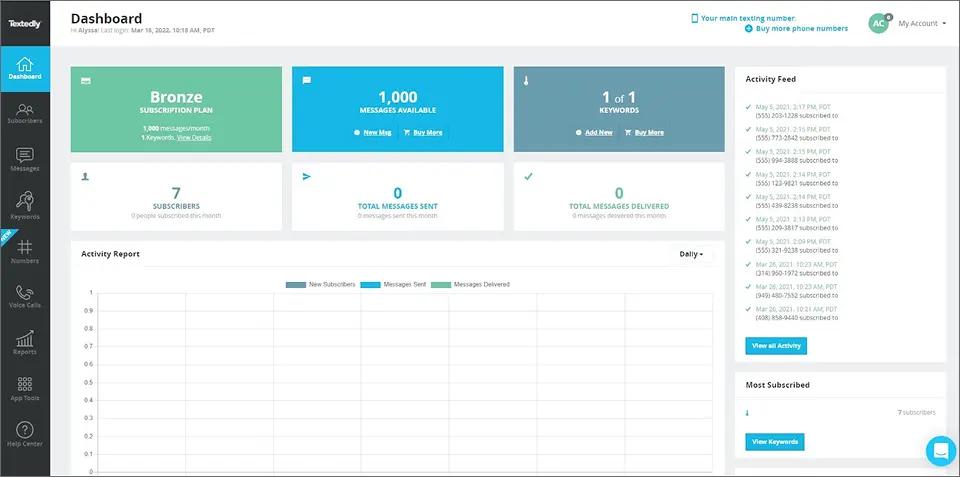
Textedly is an SMS marketing platform for small businesses that want to send mass texts, collect reviews, and take payments by text. Every plan includes the same features, including Text-to-Pay powered by Stripe, Google review requests, and an omnichannel inbox. For user feedback, see our Textedly reviews guide
Key Capabilities of Textedly
- Affordable starting price ($29/month — see the Textedly pricing guide for full details)
- Text-to-Pay feature for payments
- Google Business Review requests
- Extra users $10/month per teammate
- 14-day free trial
- 300+ character messages
Pros and Cons of Textedly
| Pros ✓ | Cons ✗ |
|---|---|
| Low starting price | No email-to-SMS functionality |
| Text-to-Pay included | Unused monthly credits don’t roll over |
| Google review integration | MMS costs more than competitors |
| Long free trial | Extra monthly fee per user |
If you want inbox-based texting instead, our Textedly vs TextBolt comparison covers the differences side by side.
Textedly Pricing
| Plan | Monthly Price | Message Credits |
| Basic | $29 | 500 |
| Bronze | $49 | 1,000 |
| Plus | $79 | 2,000 |
| Business | $299 | 10,000 |
| Gold | $1,020 | 50,000 |
| Legend | $5,520 | 300,000 |
Best For
Budget-conscious small businesses focused on marketing and review collection who don’t need email integration.
7. EZ Texting: Best for SMS Marketing Beginners
EZ Texting has a strong reputation as an easy-to-use SMS marketing platform, with a Shutterstock integration and AI-powered tools that help beginners build campaigns. For first-hand user feedback, see our EZ Texting reviews guide.

Key Capabilities of EZ Texting
- Intuitive, beginner-friendly interface
- Native Shutterstock image library
- AI-powered message composition
- Industry-specific templates
- Good support and documentation
Pros and Cons of EZ Texting
| Pros ✓ | Cons ✗ |
|---|---|
| Very beginner-friendly | Not email-native |
| Shutterstock integration | Message credit overage fees apply |
| AI writing assistance | Credit rollover lasts one month, monthly plans only |
| Good templates | Enterprise pricing climbs steeply |
If you’re weighing it against an inbox-based option, our EZ Texting vs TextBolt comparison covers the differences side by side.
EZ Texting Pricing
EZ Texting offers three self-serve plans plus a custom enterprise tier, and annual billing saves 20%. Our EZ Texting pricing guide breaks down overage rates and add-on fees.
| Plan | Monthly Price | Message Credits | Team Members |
| Launch | 25(20 billed annually) | 500 | 1 (+$10/month per extra user) |
| Boost | 75(60 billed annually) | 500 | 1 (+$10/month per extra user) |
| Scale | 125(100 billed annually) | 500 | 1 (+$10/month per extra user) |
| Enterprise | $3,000+ | 200,000 | Custom |
Best For
Small businesses new to SMS marketing who want guided setup, templates, and AI assistance. Also see our EZ Texting alternatives guide.
8. Twilio: Best for Developers
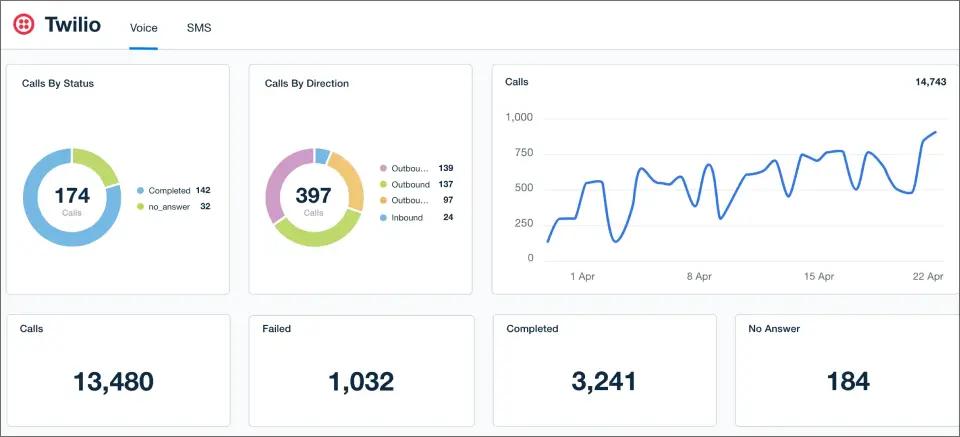
Twilio is the developer standard for programmatic SMS: a flexible, pay-per-use API that powers custom builds. It requires technical resources to run.
Key Capabilities of Twilio
- Powerful, flexible API
- US SMS from $0.0083 per outbound message segment, plus carrier fees
- Programmable voice, video, and messaging
- Extensive documentation
- Enterprise-grade reliability and scale
Pros and Cons of Twilio
| Pros ✓ | Cons ✗ |
| Lowest per-message cost | Requires developer resources |
| Maximum customization | No dashboard for non-tech staff |
| Enterprise-grade reliability | Setup takes weeks |
| Extensive API documentation | Ongoing maintenance required |
Twilio Pricing
| Plan | Monthly Cost | Messages | Team Members |
| 1,000 SMS | 9.45(8.30 SMS + $1.15 number) | 1,000 | API access |
| 5,000 SMS | 42.65(41.50 SMS + $1.15 number) | 5,000 | API access |
| 10,000 SMS | 84.15(83.00 SMS + $1.15 number) | 10,000 | API access |
Best For
Companies with development teams who need custom SMS integrations or are building SMS into their own products.
9. TextUs: Best for Conversational Sales Texting
TextUs is built for two-way conversational texting in sales and recruiting teams. It connects to CRM and ATS tools, so reps and recruiters can text from the systems they already use and track team activity with built-in analytics.
Key Capabilities of TextUs
- Two-way conversational texting for sales and recruiting teams
- CRM and ATS integrations
- Team analytics and reporting
- WhatsApp add-on (beta)
- Additional phone numbers available
Pros and Cons of TextUs
| Pros ✓ | Cons ✗ |
|---|---|
| Built around two-way conversations | Higher entry price than most options here |
| CRM and ATS integrations | Requires a 12-month term |
| Team analytics | Add-ons priced per user or per number |
| Suited to sales and recruiting workflows | Separate platform to learn |
TextUs Pricing
| Plan or Add-On | Monthly Cost | Details |
|---|---|---|
| Pro plan | $299 | Billed on a 12-month term |
| WhatsApp add-on (beta) | $49 per user | Optional add-on |
| Extra phone numbers | $49 per number | For additional lines or teams |
| Message overage | $0.05 per message | Charged beyond the plan allowance |
Best For
Sales and recruiting teams that run conversations through a CRM or ATS and want analytics on team texting.
Why Teams Switch to TextBolt
No dashboards. No training. No extra user fees. Just reliable SMS from your existing email.
Why TextBolt Is The Best Choice for Your Business
After reviewing all seven alternatives, TextBolt stands out as the clear winner for businesses that want reliable SMS without the complexity.
1. Email-Native Workflow That Just Works
Other platforms force you to learn new dashboards, train your team, and manage separate logins. TextBolt works differently. Send a text by composing an email. That’s it.
Your team already uses Gmail or Outlook every day. With TextBolt, they can send professional business texts without learning anything new. No training sessions. No IT support tickets. No frustrated staff.
2. Built for Teams, Not Individuals
SimpleTexting charges $20/month for each additional team member. TextBolt includes your entire team at no extra cost.
When Sarah’s out sick, Tom can send appointment reminders from his email. When you hire a new receptionist, they’re ready to send texts on day one. No single points of failure. No bottlenecks.
3. Migration Made Simple
If you’re coming from carrier gateways like AT&T, Verizon, or T-Mobile, TextBolt offers the smoothest transition. Same email-to-text workflow you’re used to—just change the address format.
Most businesses complete migration in under 30 minutes.
4. Reliable Delivery You Can Count On
Up to 98% delivery rates with proper 10DLC compliance. No more messages stuck in monitoring queues. No more wondering if your texts actually arrived.
Why TextBolt Wins
| What Matters | TextBolt Advantage |
| Learning Curve | Zero — uses your existing email |
| Team Access | Unlimited users included free |
| Delivery Rate | Up to 98% with 10DLC compliance |
| Setup Time | 30 minutes or less |
| Monthly Cost | Starts at $29 (vs. $39 for SimpleTexting) |
The verdict: If you’re switching because of delivery problems, rising costs, or platform complexity, TextBolt is the best SimpleTexting alternative that solves all three. Read the full SimpleTexting vs TextBolt comparison for a detailed side-by-side.
The Hidden Costs of Switching SMS Platforms
When comparing alternatives, factor in the costs the sticker price hides:
- Training time: Dashboard-based platforms need onboarding time for every user. TextBolt requires zero training since it works from email.
- Per-user fees: SimpleTexting charges $20/month for each user beyond the three included seats. TextBolt’s Standard and Professional plans include up to 10 team members at no per-seat cost.
- Compliance setup: 10DLC registration can take days and cause campaign rejections if handled incorrectly. Look for platforms that manage it automatically.
- Credit expiry: Some platforms let unused credits expire; confirm rollover before you commit.
- Integration work: API-based solutions like Twilio require developer time. Email-native solutions work immediately with your existing systems.
How Do You Move System Alerts Off Carrier Gateways?
Not every text starts with a person. Many teams found SimpleTexting while hunting for a replacement for the carrier email-to-text gateway their monitoring stack, alarm panel or library system used to rely on.
Which Carrier Email-to-Text Gateways Have Shut Down?
| Carrier | Gateway | Status | Migration Guide |
|---|---|---|---|
| AT&T | txt.att.net | Shut down on June 17, 2025 | AT&T migration |
| T-Mobile | tmomail.net | Stopped delivering in late 2024 | T-Mobile migration |
| Verizon | vtext.com | Shuts down fully by March 31, 2027 | Verizon migration |
Any alert still addressed to one of those domains is either already failing or on a deadline.
How Do You Switch a System Sender?
Replace the old carrier address with +1[PhoneNumber]@sendemailtotext.com. One domain replaces the whole per-carrier lookup table, so nobody has to guess which carrier a phone is on.
- Add the system’s sending address as an approved sender in TextBolt.
- Replace the old carrier address in the alert’s To field with the gateway address.
The same gateway carries scheduled check-in texts for maintenance, field and night-shift staff. Replies to a check-in sent from an inbox come back to that inbox.
Start Sending Texts From Your Email Today
Ready to switch? TextBolt lets your team send and receive texts from Gmail or Outlook, with replies threading back to the sender and team access on Standard and Professional plans. Setup takes about 30 minutes, and you can start texting once 10DLC approval clears, usually within 48 hours.
Frequently Asked Questions
What are the best alternatives to SimpleTexting?
TextBolt (texting from Gmail or Outlook), Salesmsg (native HubSpot and Salesforce texting), SlickText (marketing automation), ClickSend (pay-as-you-go volume), TextMagic (non-expiring credits), Twilio (developer API), EZ Texting (beginners), and Textedly (low-cost bulk SMS). The right pick depends on pricing, integration depth, and where replies land.
What is the best app for bulk text messaging?
For marketing-style bulk campaigns, Textedly and SlickText provide dashboard-based campaign tools at lower entry prices, both starting at $29/month. Twilio offers even lower raw per-segment costs ($0.01 per message segment) but requires developer resources and setup that takes weeks. Textedly is best for budget-conscious senders, while SlickText excels at marketing automation like drip campaigns and text-to-join keywords.
Can I send texts from Gmail instead of using SimpleTexting?
Yes, email-native SMS tools like TextBolt let you send a text by composing an email, so if your system can send email it can send a text. TextBolt works this way: you email an address in the format +1XXXXXXXXXX@sendemailtotext.com, and the subject and body become the text, with replies threading back to the sender’s inbox.
Do SimpleTexting alternatives support two-way messaging?
Two-way messaging is table stakes across nearly all SimpleTexting alternatives, but the real difference is where replies land. Some platforms route every reply to one shared catch-all dashboard, while others thread replies back to the original sender’s inbox so a sales rep or front-desk staffer owns their own conversation. Confirm the reply destination fits your team structure before committing.
How do I migrate from SimpleTexting to another platform?
Most platforms allow you to export contacts as CSV files and import them into your new solution. With TextBolt, you can use your existing Google Contacts. Migration typically takes 30 minutes to 2 hours depending on your contact list size and integration complexity.
How much does SimpleTexting cost per month?
SimpleTexting starts at $39/month for 500 messages. Costs increase with volume, rising sharply as message counts climb. Each additional team member costs $20/month. Several alternatives like TextBolt offer lower starting prices ($29/month) with team access included at no extra charge.
Are there phone number or carrier fees beyond the plan price?
Often yes. SimpleTexting charges $20 per extra user, $10 per extra local number and a one-time $4 carrier registration. TextUs charges $49 per month per extra number. TextMagic has monthly number and 10DLC campaign fees, and Twilio adds carrier fees to its $0.0083 per-segment rate.