
- How We Evaluated These Text-Em-All Alternatives
- 10 Best Text-Em-All Alternatives at a Glance
- Detailed Evaluation: 10 Top Text-Em-All Alternative for Business Texting
- 1. TextBolt: Best Overall Text-Em-All Alternative
- 2. EZ Texting: Best for SMS Marketing Campaigns
- 3. DialMyCalls: Best for Broadcast Messaging
- 4. Emitrr: Best for AI-Assisted Two-Way Texting
- 5. SimpleTexting: Best for Always-On SMS Campaigns
- 6. ClickSend: Best for Pay-As-You-Go SMS Pricing
- 7. Grasshopper: Best for a Combined Phone Number and SMS
- 8. Twilio: Best for Custom-Built Messaging Apps
- 9. TextMagic: Best for Email-to-SMS Plus Global Reach
- 10. SlickText: Best for SMS Marketing With Team Collaboration
- What Matters More Than Price When Comparing Text-Em-All Alternatives?
- How to Choose the Right Text-Em-All Alternative for Your Team
- Which Text-Em-All Alternative Should You Pick?
- Frequently Asked Questions
Text From the Inbox You Already Use
10 Best Text-Em-All Alternatives for Business Texting


If you’re searching for the best Text-Em-All alternatives, you’re not alone. Text-Em-All is a solid mass texting and voice broadcast tool, but it’s built primarily for one-to-many announcements rather than ongoing two-way conversations. TextBolt takes a different approach with email-to-SMS, letting teams send and receive business texts directly from Gmail, Outlook, or their existing email inbox.
This guide compares 10 Text-Em-All alternatives for 2026, including TextBolt email to sms gateway, DialMyCalls, SimpleTexting, ClickSend, Grasshopper, Emitrr, Twilio, TextMagic, and SlickText based on features, pricing, messaging workflows, compliance, and support. Where available, the comparison uses current information from each vendor’s own website.
TL;DR
- Best overall: TextBolt, for teams that want two-way texting from Gmail or Outlook with no per-seat fees.
- Best for marketing campaigns: EZ Texting or SimpleTexting.
- Best for custom-built messaging apps: Twilio.
How We Evaluated These Text-Em-All Alternatives
We assessed each platform against two sets of criteria: delivery and platform capability, and pricing, compliance, and support.
Delivery and Platform Capability
- Two-way messaging with replies routed back into a shared inbox, not a broadcast log
- Ease of setup for non-technical teams
- Team access without per-seat fees
- API and automation options for teams that need to trigger messages programmatically
Pricing, Compliance, and Support
- Pricing transparency, including per-message cost and any monthly minimum
- Compliance with the FCC’s TCPA rules, 10DLC registration, and documented opt-out handling
- Customer support quality and availability
Under the TCPA, senders must obtain prior express consent before sending most texts, and recipients can revoke that consent at any time. Full rules are published in the FCC’s TCPA rules. Any platform that glosses over compliance gets marked down here.
10 Best Text-Em-All Alternatives at a Glance
Here’s how all 10 Text-Em-All alternatives stack up on price, two-way texting, and email-to-SMS support before we get into the details.
| Platform | Starting Price | Included Volume | Email-to-SMS | Best For |
| TextBolt | From $29/mo | 500 SMS credits included | Yes | Business SMS + email to SMS |
| EZ Texting | From $25/mo | 500 SMS credits included | No | SMS marketing campaigns |
| DialMyCalls | From $9.99/mo | 150 SMS credits included | No | Broadcast messaging |
| Emitrr | From $42/mo | 500 SMS credits included | No | AI-assisted two-way texting |
| SimpleTexting | From $39/mo | 500 SMS credits included | No | Always-on marketing texts |
| ClickSend | From $0.0292/SMS | Pay-as-you-go, no included volume | No | Pay-as-you-go SMS pricing |
| Grasshopper | From $18/mo | NA | No | Combined phone number and SMS |
| Twilio | From $0.0083/SMS | Pay-as-you-go, no included volume | No | Custom-built messaging apps |
| TextMagic | From $34.5/mo | 500 SMS credits included | Yes | Email-to-SMS plus global reach |
| SlickText | From $29/mo | 500 SMS credits included | No | SMS marketing with team collaboration |
The text em all competitors’ pricing shown reflects each vendor’s public plans as of September 2026. But you make sure to confirm current rates directly with the texting service provider before committing.
Detailed Evaluation: 10 Top Text-Em-All Alternative for Business Texting
The following sections examine each business text messaging platform in detail, including capabilities, limitations, and who it actually fits.
1. TextBolt: Best Overall Text-Em-All Alternative
TextBolt is a business messaging platform built around a native email-to-SMS workflow that works directly inside Gmail, Outlook, Thunderbird, or Apple Mail or any email-enabled software, so your team keeps sending from tools they already use. Messages route over 10DLC-compliant carrier connections for up to 98% delivery.

The platform handles both sides of the conversation: when you send an email, TextBolt turns it into a text, and when the recipient replies, that response lands back in your inbox like any other email.
Key Features of TextBolt
- Native Gmail, Outlook, Thunderbird, and Apple Mail workflow, no plugins or software to install
- Two-way SMS with replies threaded into a shared team inbox
- TCPA-ready consent management and opt-out handling built into the dashboard
- CRM and monitoring-tool alerts fire straight to SMS from HubSpot, Salesforce, Datadog, Nagios, and more
- Scheduled sending through Gmail’s native Schedule Send, no separate scheduler to learn
- Bulk sending to a Google Contacts group in a single email, one text per recipient
- Real-time delivery status, timestamps, and reply threads logged for every message
- No sending limits from TextBolt itself, only the caps your email provider sets
- 7-day free trial on every plan
Pricing of Using TextBolt
| Plan | Monthly Price | Credits | Best For |
| Basic | $29/month | 500 | Solo practitioners, consultants |
| Standard | $49/month | 1,000 | Growing businesses, medical practices |
| Professional | $99/month | 2,500 | Multi-location operations |
| Enterprise | Custom | 5,000+ | Large organizations, healthcare networks |
Every TextBolt plan includes a set number of monthly credits, transparent per-segment rates, and no surprise carrier surcharges, and annual billing takes 20% off every tier.
Pros of Using TextBolt
- Gmail, Outlook, Thunderbird, and Apple Mail all work out of the box, no plugins or SMTP setup required
- Fires text alerts directly from CRMs like HubSpot and Salesforce, and monitoring tools like Datadog and Nagios, without extra developer work
- Consent management and audit trails live in the dashboard rather than requiring API work
- Every send shows real-time delivery status, timestamps, and reply threads, so you can prove an alert reached the recipient
Cons of Using TextBolt
- Currently available only in the US and Canada
Best for: Teams that want email-to-SMS to just work, without stitching together a carrier gateway or a custom API. See the full Text-Em-All vs TextBolt comparison for a detailed breakdown.
Give Your Whole Team Two-Way Texting Without a New Dashboard
TextBolt lets any team member send and receive texts from Gmail or Outlook, at no extra cost per seat.
2. EZ Texting: Best for SMS Marketing Campaigns
EZ Texting is built for teams that want texting to drive revenue, not just deliver one-way alerts. It adds campaign tools, list segmentation, and integrations a pure broadcast tool like Text-Em-All doesn’t offer, though EZ Texting’s pricing climbs quickly once you add extra users or move up a tier.

Key Features of Using EZ Texting
- Multi-step drip campaign workflows on Boost, Scale, and Enterprise (not included on the entry-level Launch plan)
- Connects to HubSpot, Mailchimp, Constant Contact, Squarespace, Stripe, and Zapier at no extra cost
- API and webhook access, with AI Compose and AI Reply for drafting and answering texts
Pricing of Using EZ Texting
| Plan | Monthly Price | Credits | Users |
| Launch | $25 | 500/month | 1 |
| Boost | $75 | 500/month | 1 |
| Scale | $125 | 500/month | 1 |
| Enterprise | From $3,000 | 200,000/month | Custom |
Extra users cost $10 a month each on every tier, and unused credits expire after 12 months.
Pros of Using EZ Texting
- Built-in marketing automation
- Strong third-party integrations
Cons of Using EZ Texting
- Only one user included per plan, at $10/month for each additional seat
- Steeper learning curve than a simple broadcast tool
Best for: Retailers and service businesses running promotional SMS campaigns alongside customer notifications; if the automation-heavy approach feels like overkill, it’s worth weighing against other EZ Texting alternatives too.
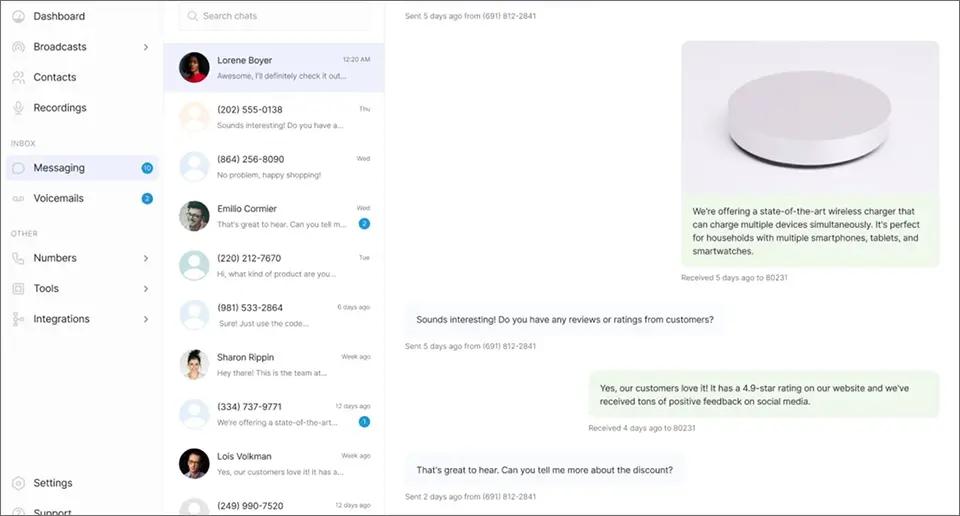
3. DialMyCalls: Best for Broadcast Messaging
DialMyCalls covers similar ground to Text-Em-All, voice and text broadcasts to large groups, and its monthly plan starts at $7.49 (Contact based) for a minimum of 25 contacts, roughly 30% below Text-Em-All’s comparable tier.
Key Features of Using DialMyCalls
- Four plan types: Contact Based (message the same group repeatedly), Credit Based (rollover credits, two-way texting included), Pay As You Go, and Custom for larger accounts
- 25 free credits included for new accounts to test the platform
- Simple interface built around the same broadcast model as Text-Em-All
Pricing of Using DialMyCalls
| Plan | Starting Price | Notes |
| Contact Based | $7.49/month | For messaging the same fixed group repeatedly |
| Credit Based | $9.99/month | Unused credits roll over; lower per-credit cost |
| Pay As You Go | 7.5¢/credit at 200-499, down to 3.8¢ at 100,000+ | 200-credit minimum, no monthly plan |
| Custom | Contact vendor | For larger accounts |
Pros of Using DialMyCalls
- Lower starting price than Text-Em-All for similar features
- No carrier fees or hidden charges advertised on any plan
Cons of Using DialMyCalls
- Primarily built for one-to-many sending, like Text-Em-All
- No email-to-SMS gateway, and two-way texting is only included on the Credit Based plan, not the cheaper Contact Based plan
Best for: Organizations that already like Text-Em-All’s broadcast model but want a lighter bill.
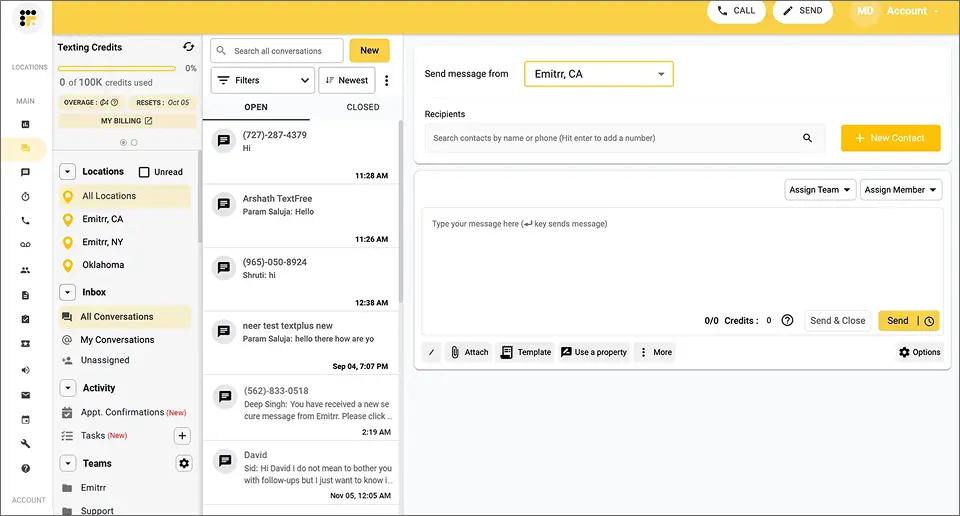
4. Emitrr: Best for AI-Assisted Two-Way Texting
Emitrr adds two-way messaging, automated reminders, and an AI chatbot on top of the bulk-texting basics, targeting the exact gap Text-Em-All leaves open: businesses whose customers reply and expect someone to see it.
Key Features of Using Emitrr
- Two-way texting with a shared reply inbox
- Recurring message automation and reminder workflows
- AI chatbot for handling routine replies
Pricing of Using Emitrr
| Plan | 500 Credits/mo | 2,000 Credits/mo | 10,000 Credits/mo |
| Standard | $42 | $110 | $420 |
| Pro (adds AI) | $45 | $118 | $450 |
| Enterprise | Custom quote | Custom quote | Custom quote |
Healthcare accounts pay an extra $200 setup fee for advanced automation, and pricing scales with message volume on every tier.
Pros of Using Emitrr
- Two-way texting built in, not bolted on
- Flat, published pricing by message volume, easier to budget than a per-credit model
Cons of Using Emitrr
- Price increases sharply at high volume (500 credits is $42/month, but 100,000 credits runs about $1,820)
- AI features require the Pro tier
Best for: Healthcare and service businesses that need patient or client replies routed to a real inbox, not a one-way log.
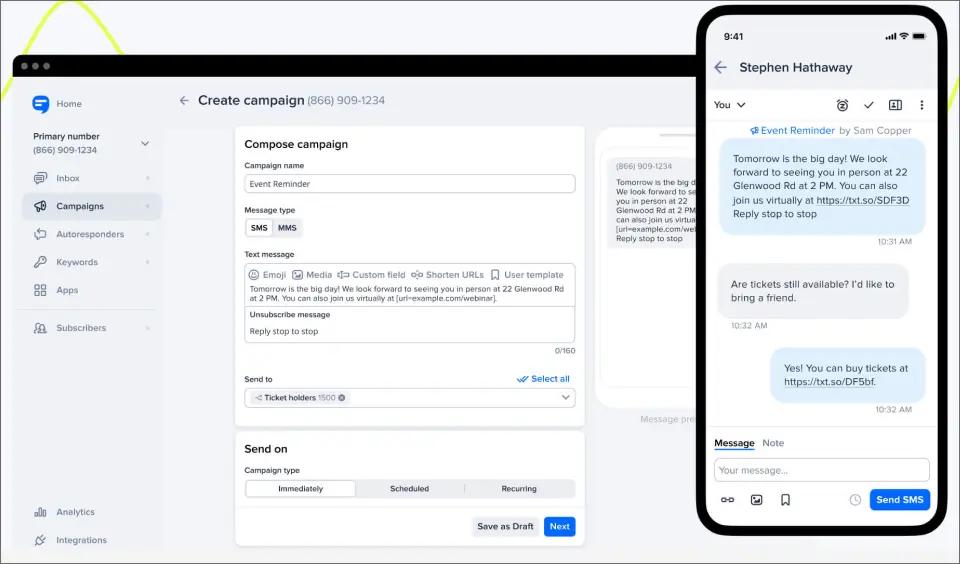
5. SimpleTexting: Best for Always-On SMS Campaigns
Text-Em-All’s own comparison page pits itself against SimpleTexting directly: Text-Em-All fits seasonal or unpredictable sending, while SimpleTexting is built for brands running constant promotional campaigns on a flat monthly subscription rather than pay-as-you-go credits.
Key Features of Using SimpleTexting
- Flat monthly subscription rather than pay-as-you-go credits
- Toll-free number included free, or a local number for an added monthly fee
- Dedicated marketing dashboard with campaign tools
Pricing of Using SimpleTexting
| Credits | Monthly Price (Toll-Free) | Monthly Price (Local Number) |
| 500 | $29 | $39 |
| 1,000 | $49 | $59 |
| 2,000 | $79 | $89 |
| 7,500 | $229 | $239 |
A local number adds $10 a month plus a one-time $4 carrier registration fee; every plan includes 3 user seats, and annual billing saves 20%.
Pros of Using SimpleTexting
- 3 users included on every plan, more than most competitors offer at entry level
- Predictable monthly cost, no per-credit math
Cons of Using SimpleTexting
- No voice broadcasting
- Local number and carrier registration cost extra, and additional users beyond the included 3 run $20/month each
Best for: Businesses that text the same list regularly and want predictable, always-on billing, though it’s worth checking SimpleTexting’s full pricing breakdown before committing, since add-ons change the total quickly.
6. ClickSend: Best for Pay-As-You-Go SMS Pricing
ClickSend uses a pay-as-you-go credit model with no monthly subscription. While it previously positioned itself as a multi-channel platform, voice, email, fax, and post services are no longer available to new customers as of this writing, marking a shift from the broader positioning covered in TextBolt’s ClickSend alternatives guide.

Existing accounts keep those channels; new signups get SMS and MMS only.
Key Features of Using ClickSend
- SMS and MMS only for new customers; volume-tiered per-message pricing
- No monthly subscription or minimum, unlimited users included on every account
- Free inbound SMS and free 24/7 support
Pricing of Using ClickSend
| Tier | Per-SMS Rate | Top-Up Threshold |
| Boost | $0.0292 | From $20 |
| Growth | $0.0208 | From $100 |
| Scale | $0.0134 | From $1,000 |
| Enterprise | $0.0096 | From $2,000 |
MMS runs $0.0379 per message. Carrier fees apply on top of the per-message rate ($0.0042 for SMS, $0.0088 for MMS), and a dedicated number costs $3.57 a month.
Pros of Using ClickSend
- No monthly minimum, unlimited users on every plan
- Volume discounts scale automatically as you top up more
Cons of Using ClickSend
- API-first design, non-technical teams often need setup help
- Voice, email, fax, and post are legacy-only, not offered to new signups
Best for: Companies that want straightforward, pay-as-you-go SMS pricing with no monthly commitment.
7. Grasshopper: Best for a Combined Phone Number and SMS
Grasshopper is a virtual phone system first and a texting tool second. It gives a business a professional number that handles calls, extensions, and texts from one mobile app, something Text-Em-All’s broadcast-only design does not attempt.

Key Features of Using Grasshopper
- Custom greetings, extensions, and call routing
- Texting and calling from one number, usable from any device
- Mobile app built for managing a business line on the go
Pricing of Using Grasshopper
| Plan | Monthly Price (Billed Monthly) | Numbers | Extensions |
| True Solo | $18 | 1 | 1 |
| Solo Plus | $32 | 1 | 3 |
| Small Business | $85 | 4 | Unlimited |
Extra numbers cost $9/month and extra extensions $3/month on the lower tiers. Business texting also requires a one-time $19.50 registration fee plus a $1.50 monthly messaging fee on every plan.
Pros of Using Grasshopper
- Real business phone number with texting built in
- One app for calls and texts
Cons of Using Grasshopper
- No shared inbox, extensions route calls but don’t create a collaborative view of conversations
- Registration and messaging fees ($19.50 one-time, $1.50/month) apply on top of every plan’s advertised price
Best for: Small businesses that want a real business phone number with texting built in, not just a broadcast tool.
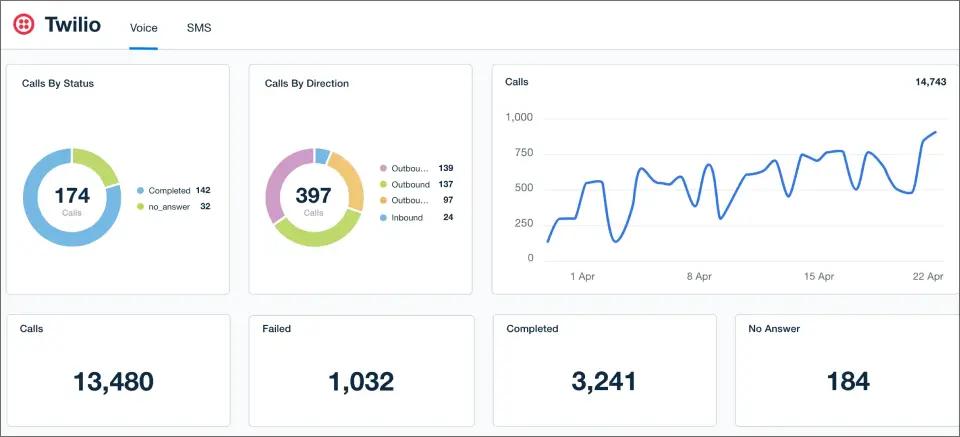
8. Twilio: Best for Custom-Built Messaging Apps
Twilio is the API layer several other platforms on this list are built on top of. It gives development teams full control over messaging logic, at the cost of needing developers to build and maintain it. See TextBolt vs Twilio for a side-by-side on cost and setup time.
Key Features of Using Twilio
- Full API access for custom messaging and IVR logic
- Usage-based pricing that scales to enterprise volume
- Extensive documentation and developer tooling
Pricing of Using Twilio
| Item | Rate |
| Per-SMS rate | $0.0083 |
| Carrier surcharge | $0.0035 to $0.005 |
| Phone number | $1.15 to $2.15/month |
No monthly platform fee; you pay per message plus a small monthly fee per number.
Pros of Using Twilio
- Near-unlimited customization
- Scales to enterprise volume
Cons of Using Twilio
- Requires developer time to implement and maintain
- No ready-made dashboard for non-technical staff
Best for: Companies with engineering resources that want to build texting into their own software.
9. TextMagic: Best for Email-to-SMS Plus Global Reach
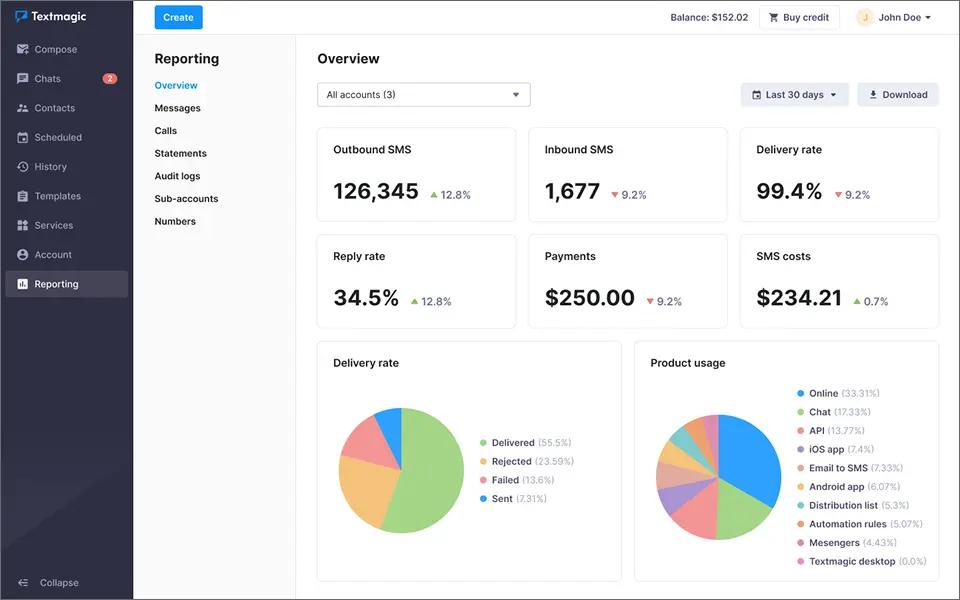
TextMagic is one of the few platforms in this space that, like TextBolt, offers a genuine email-to-SMS gateway, though it sits alongside a full dashboard and mobile apps rather than being the primary way you send.
Key Features of Using TextMagic
- Email-to-SMS and SMS-to-email gateway built in, with credit that never expires
- Global SMS coverage beyond the US and Canada
- Pure pay-as-you-go pricing, no fixed monthly plan required
Pricing of Using TextMagic
| Monthly Volume | Per-SMS Rate |
| 500 to 1,000 | $0.049 |
| 2,000 | $0.04 |
| 5,000 to 10,000 | $0.035 |
| 20,000 | $0.03 |
| 50,000 | $0.025 |
| 100,000+ | $0.02 |
A texting number costs $10/month (first month free), 10DLC campaign registration is $10/month (first month free), and MMS runs $0.08/message. Optional monthly subscription plans with discounted rates are available for US, Canada, Australia, and UK accounts. See TextMagic pricing for a detailed cost breakdown.
Pros of Using TextMagic
- Email-to-SMS available, plus a full dashboard and mobile apps
- Credit never expires, and genuine international reach
Cons of Using TextMagic
- No flat monthly plan, so budgeting takes more math than a fixed-price competitor
- Number and campaign registration fees are billed separately from the per-message rate
Best for: Teams that want an email-to-SMS option with a traditional dashboard and mobile app alongside it, or that need to text outside the US and Canada; worth comparing against other TextMagic alternatives first.
10. SlickText: Best for SMS Marketing With Team Collaboration
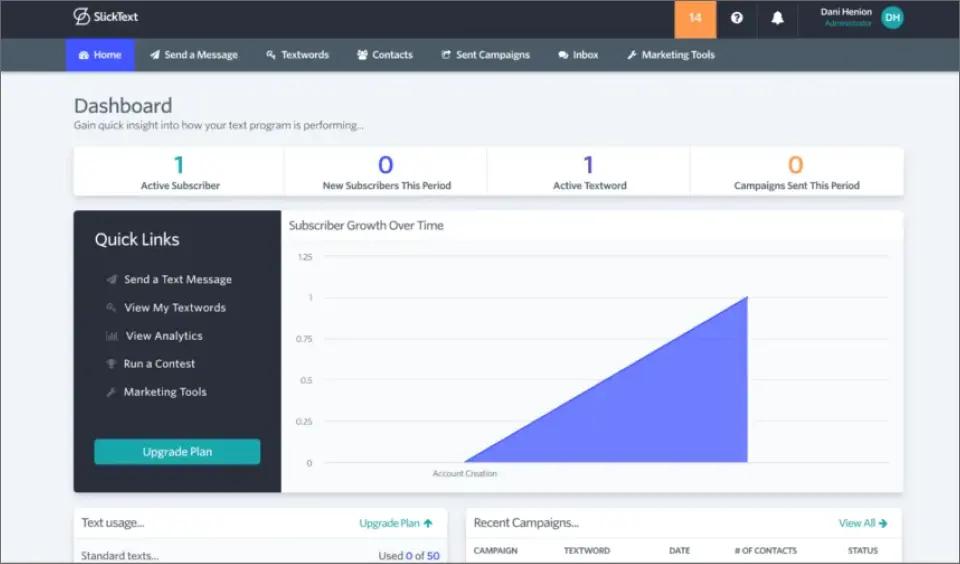
SlickText covers the same broadcast basics as Text-Em-All, then adds unlimited keywords, drip campaigns, and a two-way inbox built for a team to work from together rather than one person watching a log.
Key Features of Using SlickText
- Unlimited keywords included on every plan for opt-in campaigns
- Two-way messaging inbox built for team collaboration on replies
- Drip campaigns, contests, and loyalty-program tools
Pricing of Using SlickText
| Plan | Monthly Price | Credits |
| Starter | $29 | 500 |
| Professional | $49 | 1,000 |
| Business | $79 | 2,000 |
All paid plans include free incoming texts and rollover credits.
Pros of Using SlickText
- Strong two-way inbox for team-based conversations
- Unlimited keywords on every plan, plus rollover credits
Cons of Using SlickText
- No email-to-SMS workflow
- Carrier fees (about $0.0042 per SMS) are billed separately on top of the credit-bucket price
- US and Canada only, no international coverage
Best for: Businesses running SMS marketing campaigns, contests, or loyalty programs that also want their team working from a shared reply inbox.
What Matters More Than Price When Comparing Text-Em-All Alternatives?
The quick table above is a pricing snapshot. This section is the deeper lens most buyers skip.
1. Two-Way Messaging
Look for a platform that routes replies back to a shared inbox your whole team can see, not just the original sender’s phone or a broadcast log. Text-Em-All is built mainly for one-to-many broadcasts, and some tiers add only a basic reply view.
2. Pricing and Scalability
Group-size or credit-based pricing, like Text-Em-All’s own model, can work well below a few hundred messages a month. Past that, a flat monthly plan with team access included, or a low per-segment API rate, tends to pull ahead. Match the model to your volume before comparing headline prices.
3. Compliance
Any platform on this list that handles 10DLC registration and documented opt-out handling for you is doing real work on your behalf. TextBolt, Text-Em-All, and most of the platforms above include this.
Confirm it directly with a smaller or newer vendor before you commit, and report unwanted texts from any sender to the Federal Trade Commission if it comes to that.
How to Choose the Right Text-Em-All Alternative for Your Team
Once you have a shortlist, use this four-step framework to make the final call rather than defaulting to the cheapest headline price.
1. Estimate Your Monthly Volume
Under a few hundred messages a month favors credit-based or pay-as-you-go pricing, like Text-Em-All’s own Credits plan. Our Text-Em-All pricing breakdown covers how those credits scale and where hidden costs appear. Past that, a flat monthly plan with team access included usually costs less overall.
2. Prioritize Email Client Compatibility
If replies matter, a patient confirming an appointment, a customer answering a question, you need a platform built for two-way conversations from a tool your team already uses, not a new dashboard to log into.
3. Check Compliance Fit for Your Industry
Healthcare providers need compliance-aware patient communication, while IT teams need alert systems that integrate with existing monitoring tools. Ask about consent logging and opt-out handling during a trial, not after signing a contract.
4. Test the Two-Way Flow End to End
Send a test message and reply from the recipient’s phone. If the reply doesn’t land somewhere your whole team can see it, that’s the gap you’re trying to close by leaving Text-Em-All in the first place.
Which Text-Em-All Alternative Should You Pick?
Text-Em-All still does one thing well: getting an announcement to a large group fast.
Most of the text em all alternatives above exist because businesses eventually need more than a one-way broadcast: two-way conversations, marketing automation, or texting without new software to learn. For most teams outgrowing that one-way model, TextBolt is the pick, precisely because it asks you to change the least.
If your team already lives in an email inbox, TextBolt keeps the inbox and just adds texting; see how sending a text from email actually works if you want the full walkthrough.
Setup takes approx 30 minutes, plus up to 48 hours for 10DLC approval. No app. No training. No new number to remember.
Start a free trial and send your first text from the inbox you already check every day, or book a demo if you’d rather see it walked through first.
Start Texting From the Email Inbox Your Whole Team Already Uses
TextBolt gives you a 7-day free trial with 10 message credits, no new dashboard to learn, no per-user fees.
Frequently Asked Questions
Does Text-Em-All support two-way texting?
Text-Em-All is built mainly for one-to-many broadcasts. Some tiers include a basic reply view, but replies do not thread into a shared email inbox the way dedicated two-way platforms handle them.
What is the best Text-Em-All alternative for a small team?
For teams that want two-way texting without a new dashboard, TextBolt sends and receives from the email inbox your team already uses, with no per-user fee on Standard plans and up.
Can I send SMS from my email instead of using Text-Em-All?
Yes. With TextBolt, you send an email to a contact’s TextBolt gateway address and it delivers as SMS. Replies return to your inbox as a normal threaded email.
Is Text-Em-All secure for sending business texts?
Text-Em-All handles 10DLC registration and carrier-approved routing, which is a different posture from an unregistered free gateway. For any regulated industry, confirm the specific compliance documentation directly with the vendor before sending anything sensitive.