
Insurance
Text Messaging for Insurance: Confirm and Chase From Your Inbox
Reach policyholders faster with email-to-SMS gateway built for insurance teams. Send renewal reminders, FNOL updates, and document requests from Gmail or Outlook, then keep every reply threaded back in the inbox for easier follow-up and recordkeeping. TextBolt helps insurance teams cut through email fatigue, keep replies organized, and manage customer communication in one place.
Up to 98%
Delivery Rate*
10DLC Compliant
Included
30-min
Setup
What is Text Messaging for Insurance?
Text messaging for insurance allows agencies, carriers, MGAs, TPAs, and brokers to communicate with policyholders through business SMS throughout the insurance lifecycle. Teams can use SMS for policy renewal reminders, claims updates, payment notifications, document requests, appointment scheduling, and urgent customer alerts.
By delivering time-sensitive information directly to policyholders’ mobile phones, insurance organizations can improve response times, reduce missed communications, and provide a more convenient customer experience without relying only on phone calls or emails.
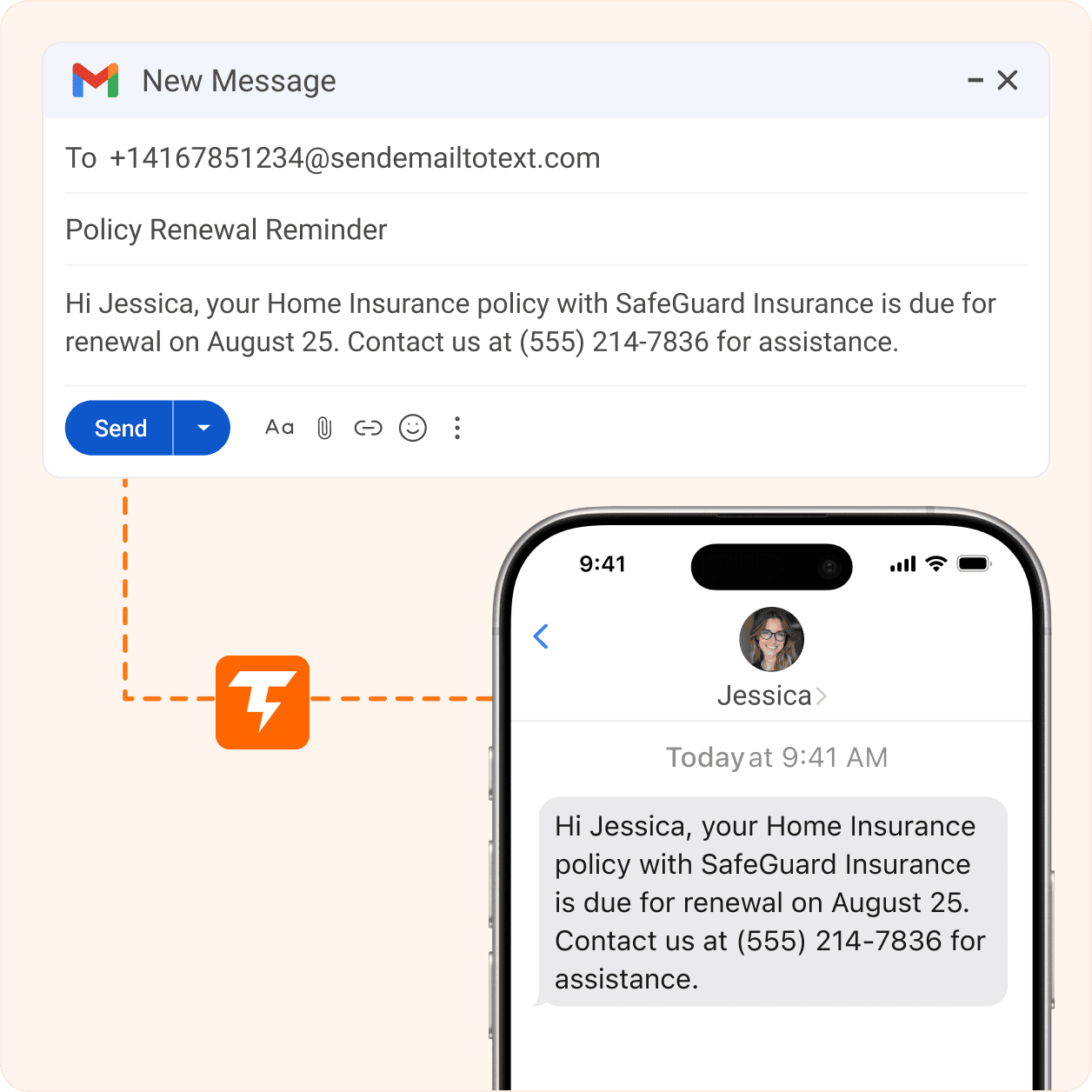
What Insurance Problems Does Email-to-SMS
Services Solve?
Insurance agencies manage time-sensitive interactions, from policy renewals and claims updates to inspections. A text messaging service like TextBolt delivers these updates by SMS, reducing missed calls, delayed responses, and manual follow-up.
-
Renewal emails get buried, causing missed deadlines and policy lapses.
-
Phone tag delays inspections, repairs, and insurance claim resolution.
-
Per-user texting costs push staff onto personal mobile phones.
-
Carrier gateway shutdowns break automated policy and claims notifications.
-
Personal devices make customer message history difficult to retain.
-
Catastrophes require faster customer communication than email alone provides.
-
Send renewal reminders by text from Gmail or any email-enabled software.
-
Text schedules and requests, with replies returning to email.
-
Support up to 10 users on one shared business number.
-
Replace carrier gateways without changing existing email workflows.
-
Keep messages, replies, and delivery records in Gmail or Outlook.
-
Send emergency updates and claim instructions by text from email.
Why Do Insurance Agencies Choose TextBolt
for Business Text Messaging?
Insurance agencies need more than business texting. TextBolt lets agencies, carriers, MGAs, and TPAs send and receive business text messages from any email-enabled software or device, simplifying renewals, claims, inspections, and customer service with your existing workflow.
Deliver Time-Sensitive Updates with Confidence
Insurance communication is often time-sensitive, whether it’s a renewal reminder, inspection schedule, payment notice, or claim update. TextBolt delivers messages over registered 10DLC routes with up to 98% delivery across major U.S. carriers*, helping policyholders receive important updates quickly.
Simplify Compliance and Recordkeeping
Insurance agencies need communication that is easy to manage and reference. TextBolt manages A2P 10DLC registration, honors opt-outs, and keeps messages, replies, and delivery status in the original email conversation, simplifying recordkeeping and compliance.
Built for Growing Insurance Teams
Whether your agency has a single office or multiple locations, TextBolt supports producers, CSRs, adjusters, and office staff on one shared business number. Role-based permissions help teams collaborate while keeping customer conversations associated with the agency instead of personal mobile phones.
Works with Your Existing Insurance Workflow
There’s no need to replace your agency management system or redesign existing processes. If your AMS, CRM, or claims platform can send email notifications, TextBolt can extend that workflow with business text messaging. Simply update your notification address and continue using the systems your team already knows.
Keep Every Customer Conversation Together
Policyholders can reply directly to your text messages just as they would any other SMS conversation. Every response is delivered back to the original sender’s email thread, making it easy for producers, adjusters, and customer service teams to manage conversations without switching between multiple applications.
Reduce Missed Calls and Delayed Responses
TextBolt helps insurance teams reduce phone tag by letting policyholders quickly respond to claims, documents, inspections, and policy updates by text. Replies stay connected to the original email conversation. This helps your team respond faster while keeping every customer interaction organized.
Replacing a Discontinued Carrier Email-to-Text Gateway?
If your agency previously relied on carrier email-to-text gateways, switching to TextBolt is straightforward. Update your notification address, keep your existing automation intact, and continue delivering policyholder communications.

How to Set Up TextBolt for Your Insurance Agency
Start sending business text messages in about 30 minutes. TextBolt works with your existing email workflows, replacing discontinued carrier gateways or adding SMS alerts without new platforms or complex integrations.
Step 1 – Verify Your Business Account
Complete your account setup by verifying your business email domain. This helps authenticate your sender identity and prepares your account for business messaging.
Step 2 — Complete 10DLC Registration
Provide your business details and messaging use case during onboarding. TextBolt handles the A2P 10DLC registration process on your behalf so you can send compliant business text messages over major U.S. carriers.
Step 3 — Connect Your Existing Workflow
Update your existing email notifications to send messages through TextBolt instead of a discontinued carrier gateway. Whether you send policy reminders, claims updates, inspection schedules, or payment notifications, your team can continue using the workflow they already know.
Step 4 — Add Your Team
Invite producers, adjusters, CSRs, and support staff to your shared business number. Each user can send and manage conversations while keeping customer communication organized under one business identity.
Step 5 — Send Your First Message
Send a test message to verify delivery and confirm that customer replies return to the original email conversation. Once verified, your agency is ready to communicate with policyholders using business text messaging.

How Insurance Teams Use TextBolt for Policyholder
and Claim Communication
Insurance teams use TextBolt to streamline policyholder communication across claims, renewals, payments, and alerts. The sections below explore how agencies use business text messaging to improve customer updates and response times.
First Notice of Loss (FNOL) Confirmations
When policyholders report a claim, timely communication sets the tone for the entire claims process. Send claim confirmations, adjuster contact details, claim numbers, and next steps by text, helping customers begin gathering documents and photos without waiting for a callback.
Inspection and Appraisal Scheduling
Coordinate inspections and appraisals without repeated phone calls. Send appointment windows, location details, and reminder messages by text so policyholders can quickly confirm, reschedule, or ask questions, helping reduce no-shows and keep claims moving.
Renewal Reminders
Keep policyholders informed before coverage expires by sending renewal reminders, payment links, and policy updates directly to their mobile phones. Timely reminders help customers respond sooner and reduce missed renewal opportunities. This helps agencies improve renewal rates while keeping policyholders informed throughout the process.
Premium Payment Reminders
Remind customers about upcoming or overdue premium payments before policies lapse. Text messages provide a convenient way to share payment links, due dates, and contact information, helping agencies reduce avoidable cancellations and billing follow-up.
Document Collection
Collect proof of loss forms, claim photos, certificates, and other required documents faster through text messaging. Customers can reply with updates or upload requested information, helping adjusters process claims more efficiently.
Catastrophe Response
During hurricanes, wildfires, storms, or emergencies, quickly notify affected policyholders with claim instructions, emergency contacts, mobile claim center locations, or recovery updates. Text messaging helps agencies communicate critical information when speed matters.
Insurance Text Message Templates for Agencies
Use these customizable insurance text message templates to communicate with policyholders throughout the customer journey while maintaining a consistent and professional experience.
First Notice of Loss (FNOL) Confirmation
Hi [Name], we received your claim on [Date]. Claim #[ClaimNumber] has been assigned to [Adjuster], who will contact you within 24 hours. Reply STOP to opt out.
Inspection Scheduling
Hi [Name], your [Vehicle/Property] inspection is scheduled for [Date] at [Time] at [Address]. Reply 1 to confirm or CALL to reschedule. Reply STOP to opt out.
Policy Renewal Reminder
Hi [Name], your [Policy Type] policy renews on [Date]. Review your renewal or make a payment here: [Link]. Questions? Reply to this message. Reply STOP to opt out.
Premium Payment Reminder
Hi [Name], your [Policy Type] payment of $[Amount] is due on [Date]. Pay securely here: [Link]. Need assistance? Reply CALL. Reply STOP to opt out.
Document Request
Hi [Name], to continue processing claim #[ClaimNumber], please send the following: [Document List]. Upload your documents here: [Link] or reply with photos. Reply STOP to opt out.
Catastrophe Response Alert
[Agency Name]: If you’re affected by the event in [Area], our mobile claims center is available at [Address] through [Date]. File your claim or view updates here: [Link]. Reply STOP to opt out.
CUSTOMER REVIEWS
What Our Clients Say
Keep policyholders and adjusters aligned with the following text message templates for your agency, carrier, or third-party administrator.

On Google Workspace Marketplace, with
 263K+ installs

Our FNOL cycle time dropped by almost a full day once insureds started getting the claim number as a text instead of an email. Adjusters actually adjust claims now instead of leaving voicemails.

Claims Operations Manager
Mutual Insurance Agency
We were texting policyholders from personal cell phones and I could not sleep at night thinking about DOI examiners asking for the thread. TextBolt puts every message inside our Outlook, exportable, done.

Managing Principal
Insurance Firm
Renewal retention climbed almost ten points in one quarter after we started texting the renewal amount and pay link from the CSR’s inbox. The book grew without adding a producer.

Director of Client Services
Insurance Partners
Frequently Asked Questions
Got questions? We’ve got answers.
Can policyholders reply to our text messages?
Yes. Policyholders can reply to business text messages just like any standard SMS conversation. Two-way messaging allows agents, adjusters, and customer service teams to answer questions, confirm appointments, collect documents, and provide claim updates without switching to a separate communication platform.
How does TextBolt handle TCPA compliance and opt-out requests?
TextBolt automatically processes standard SMS opt-out requests, including STOP, and suppresses future messages to opted-out numbers. Businesses are still responsible for obtaining the appropriate customer consent before sending text messages and should follow applicable SMS compliance requirements and industry regulations.
What happens to customer conversations when an employee leaves the agency?
Customer conversations remain with the business rather than an employee’s personal device. Messages, replies, and delivery history stay associated with your organization’s account, helping preserve communication records and maintain continuity when team members leave or change roles.
When should insurance agencies send text messages?
Insurance agencies should use text messaging for time-sensitive communication such as claim confirmations, inspection reminders, appointment scheduling, premium payment reminders, policy renewals, document requests, and emergency notifications. Sending updates by text helps customers respond more quickly while reducing missed calls and follow-up efforts.
Is text messaging secure enough for insurance communication?
Yes, when used appropriately. Text messaging is ideal for appointment reminders, claim updates, payment notifications, and document requests. Sensitive personal or policy information should not be included in SMS messages. Instead, agencies should direct customers to secure portals or encrypted links when sharing confidential information.
What types of insurance businesses can use text messaging?
Business text messaging is valuable for independent insurance agencies, brokers, carriers, MGAs, TPAs, and claims organizations. It can support communication across personal and commercial insurance, including auto, homeowners, life, health, and commercial insurance, helping teams keep policyholders informed throughout the policy and claims lifecycle.
What can insurance agencies send through text messages?
Insurance agencies commonly use text messaging for policy renewal reminders, claim confirmations, inspection scheduling, premium payment reminders, document requests, appointment confirmations, policy updates, and catastrophe notifications. These messages help improve response times while providing customers with timely and convenient communication.
Stop Losing Renewals and Claims to Missed Messages
Every lapsed renewal starts with a policyholder who never opened the email. One email from Gmail or Outlook reaches every insured, adjuster, and body shop as a text, threaded back to the sender’s inbox for the DOI audit trail.